M5 iPad Pro Review – 6 Months Later
The perfect product that exemplifies: The Apple Dilemma.
By Josh Teder
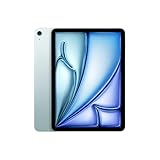
The M5 iPad Pro is the perfect product in 2026 that illustrates what I call the Apple dilemma. A technically impressive piece of hardware, but kind of held back in a weird way. And after spending 6 months with one, I’ll take you through why I think that, what stood out, the stuff I haven’t used, downsides, and what I think Apple needs to do to truly make this a fantastic product.
The Display
Let’s start with the first highlight: the display. This iPad, unlike every other iPad in Apple’s lineup, features an Ultra Retina XDR display. What is that exactly? Well, it uses a tandem OLED panel, which basically stacks two OLED panels into one display to achieve better brightness and color than you would get with just a single OLED panel. And whether I’m looking at it doing everyday tasks or watching content on it, it just looks fantastic.
New with the M5, this display can drop to one nit of minimum brightness, making it even more comfortable to view in a dark room. This by far remains one of Apple’s best displays in any product, and especially if you watch a lot of content on your iPad, this is a huge reason to go for the iPad Pro over the other models.
Tied to that display is Apple’s ProMotion technology. ProMotion lets Apple adjust the refresh rate up to 120Hz, making motion and animations feel genuinely smooth. It’s a technology that, once you get used to it, you’ll want across all of your Apple devices. And I do think it’s a bit silly that last year’s iPhone 17 got this technology, but the iPad Pro remains the only iPad with it.
Accessories: Magic Keyboard and Apple Pencil Pro
The next highlight with the iPad Pro is that by going with it, you have the option to get the best Apple iPad accessories. Obviously, you still have to pay for them, and you will pay a lot, but the Magic Keyboard, with its aluminum construction and larger haptic trackpad, is the best keyboard for an iPad in Apple’s lineup, and my personal favorite to type on.
And then there’s the Apple Pencil Pro. This is the latest generation of Apple Pencil, which magnetically attaches and charges from your iPad. The Pencil Pro also gets you the squeeze gesture, which brings up a palette to easily switch tools, plus barrel roll, which is perfect for mimicking how you’d twist a real calligraphy pen or brush. This is the only Apple Pencil with Find My support, which is really helpful if it becomes dislodged from your iPad. Note that it doesn’t have the exact precision finding feature you might be accustomed to with AirTags, for example, but it does have pressure sensitivity as well, unlike the USB-C Apple Pencil.
For me, I use the Magic Keyboard way more than the Apple Pencil. But for the times I do want to use one, I want to make sure it’s always charged and ready to go. That’s why I still recommend going with the Pencil Pro.
Weight
The next highlight is actually weight. Even with the larger 13-inch size, the iPad Pro is about 35g lighter than the comparable Air in that size. The 11-inch is about 15g lighter. And this current form factor for the larger iPad Pro is the first time I’ve found it not to be cumbersome to actually lounge with and read on, thanks to that lighter weight.
5G Cellular
The next highlight is 5G cellular. The iPad Pro, like the rest of Apple’s lineup, has a 5G cellular option, but this is actually the first time I’ve gotten an iPad with that option. Having 5G cellular on the iPad was just a lot more freeing than I was expecting.
“Having 5G cellular on the iPad was just a lot more freeing than I was expecting. Yes, I could have just used a hotspot on my phone, but thanks to the built-in eSIM and my Google Fi plan, it’s way more frictionless.”
Yes, I could have just used a hotspot on my phone, but thanks to the built-in eSIM and my Google Fi plan, it is just way more frictionless. You can take your iPad out and immediately start using it.
iPadOS 26
The next big highlight with this iPad is iPadOS and specifically two new features that help inch it closer to being a bit easier to multitask and work on like a Mac.
First is the new windowing system, which lets you more easily overlap windows than before. Initially, I did find this implementation a bit confusing, especially because it is like macOS in certain ways, but then again, not quite. Unlike on Mac, where you can just drag windows over to the side of the screen to lock them into split view, you need to actually hold down the little green part of the stoplight. Six months later, I have gotten used to the way multitasking now works with the iPad Pro. And for what I use it for, which most of the time is just in its keyboard configuration, it’s been great.
The other big new thing with iPadOS 26 that I’ve really liked is background tasks, which let you do things like download and copy files in the background. That’s something that frankly should have been there years ago.
The other big benefit of iPadOS in general is how well it integrates with the rest of your Apple ecosystem. You can use Sidecar to run it alongside your Mac, take phone calls on it, check your messages, easily pair your AirPods, AirPlay audio to a nearby speaker or video to a nearby Apple TV, or copy a link on your iPhone and paste it on your iPad.
The M5 Chip and Internal Upgrades
And then there’s the M5 chip, plus a bunch of internal upgrades that come along with it, which makes this a little bit more of a meaningful upgrade than just the M5 name might suggest. Base RAM goes from 8GB to 12GB. Memory bandwidth jumps to 153 Gbits per second. SSD speed doubles, and you’re also getting Wi-Fi 7 and Bluetooth 6.
The M5 chip itself also unlocks some new functionality, like being able to drive an external display like the new Studio Display XDR at 120Hz. Something my M1 Ultra Mac Studio can’t even do. But outside of gaming, running benchmarks, intensive graphics work, or on-device AI model applications, I doubt most people are actually going to notice much of a difference in day-to-day use compared to the previous generation. And a lot of that other stuff probably isn’t going to make much of a difference either.
What I Haven’t Used
Which brings me to what I haven’t really used on this iPad over the past 6 months. And there are quite a few things worth calling out here.
The first is note-taking. As someone who’s spent years writing notes at work on an iPad display, over time, I just got tired of writing on glass, and I found I much preferred the writing experience either on paper or with an e-ink device like the reMarkable Paper Pro. While screen protectors can make writing on iPads feel more paper-like, you still get all the distractions that come with iPadOS, which you simply don’t get with plain pen and paper or a dedicated digital notetaker like the Paper Pro.
Another thing I always kind of forget is that on the iPad Pro is the LiDAR sensor. There aren’t many things I’ve found it useful for, but one thing it is particularly good for is virtual furniture placement in your room.
And then there are the Apple Intelligence features outside of priority notifications and notification summaries. I haven’t really used this functionality. I don’t care that much for the ChatGPT integration with Siri because Siri will often kick out to ChatGPT in situations where it should have just been able to give me an answer.
Two other things I don’t use my iPad for, both related to my earlier comments on the M5 chip, are gaming and video editing. If you’re a mobile iPad gamer, I do think this device would be stellar for that use case, between its display and graphics performance. And while yes, you can technically edit video on it via Final Cut Pro for iPad or other apps like DaVinci Resolve and CapCut, my workflow relies on plugins, and I just find the Mac easier to do professional work on in general. Plus, Mac hardware can be a lot more powerful, especially when you’re talking about large video exports. That’s where you’ll still find me editing video.
So What Do I Actually Use It For?
Over 6 months, the main things I’ve been using it for are web browsing, content consumption, typing and writing, and using it as an on-the-go computer. The Apple Pencil actually makes it pretty versatile in that last role with the Magic Keyboard, especially for signing documents on the go.
And these lines up with what a lot of our readers told me that they use theirs for, with the exception that many more of them use it for drawing and note-taking compared to what I use it for.
Downsides
Battery Standby
The first downside is battery standby. This is a broader problem with iPads in general because unless you leave your iPad plugged in all the time, it’s very likely that you’re not going to use it every day, and when you want to come back to it, it’s going to be dead.
Google actually solved this problem years ago with the Pixel Tablet by creating a dock for it. When it’s not in active use, it just turns into a digital photo frame. I find this design choice brilliant, and I’m genuinely dumbfounded that Apple just hasn’t copied it. Maybe that’s what their rumored home device will turn out to be, but it’s crazy to me that there is no dock for iPads, especially the smaller mini, which would be the perfect size for an Apple digital photo frame.
The Apple Dilemma
The next downside goes deeper than just the hardware and gets to what I think is Apple’s real dilemma with this product. For so long, the company has relied on App Store revenue as a growth engine, and now I think it’s hampering more professional products like the iPad Pro.
One sign that people might be clamoring for a more open iPad is how many people are going absolutely nuts over the MacBook Neo. I’m reviewing that product right now as well, and the wild thing is, it costs almost half of what my iPad Pro and all of its accessories cost. But in many ways, it is much more powerful because it runs macOS, not iPadOS. macOS gives you more flexibility to do more with things at the OS level, which is part of the reason so many tech reviewers and enthusiasts have wanted Apple to let the iPad run macOS. And it clearly could. The MacBook Neo doesn’t even have an M-series chip. It just runs on an iPhone chip.
“I’m not actually arguing that the iPad needs macOS. I think it’s totally fine to let the iPad be the iPad and have its own OS developed around the specific needs of iPad users. What I am saying is that the biggest reason people want macOS on an iPad is app distribution via the web.”
But I’m not actually arguing that the iPad needs macOS. I think it’s totally fine to let the iPad be the iPad and have its own OS developed around the specific needs of iPad users. What I am saying is that the biggest reason I think people want macOS on an iPad is app distribution via the web, plus maybe root access to the OS and a terminal app. Compared to macOS today, iPadOS is just nowhere near as open and flexible as people want it to be, given its great portability and form factor.
Especially with a Pro moniker, I think the argument that this should let you do more professional things is warranted, and especially considering the price.
Price
And that price is my last downside. Depending on what you want to do with your iPad, you might just be much better off saving your money and spending it on a cheaper iPad. Or get a cheaper iPad and a MacBook Neo, and that’ll come out to roughly the same price you’d spend on an iPad Pro with all the accessories.
If you ever want to find deals on Apple products in general, you can head to our shop page and search for Apple deals or iPad deals.
Who Is This For? Should You Buy It?
This is an iPad for people who already have an iPad, use it a lot, and want to upgrade to a nicer one, or for those who want the most premium iPad experience. You want that excellent display, the thin design, M5 performance, and the ability to pair it with Apple’s best accessories.
If you already have an iPad, should you upgrade? Almost no one should, unless you think you can genuinely benefit from the M5 chip and you already have an iPad Pro with the tandem OLED display. If you have a previous model or a different iPad and you watch a lot of content on it or write a lot on it, I do think the tandem OLED and the aluminum Magic Keyboard are a lot nicer, and I personally prefer them to the iPad Air’s equivalent experience.
Speaking of which, should you get the iPad Pro or the iPad Air? They do have a lot of similarities, and I covered that exact topic in my iPad Pro vs. iPad Air comparison.
For 6 Months Later, I’m Josh Teder. Let us download apps from the web, you cowards.