Featured Products
If you buy something from a link, 6 Months Later may earn a commission. See our ethics policy.
Smart Home Platform Products


Home Assistant Connect ZBT-2 (Zigbee and Thread)

Home Assistant Voice Preview Edition
Home Assistant Connect ZWA-2 (Z-Wave)





Smart Thermostats


Smart Locks

Note, the Schlage Sense Pro hasn’t been released yet, and while the Ultraloq Bolt Mission has, Apple Home Key isn’t currently supported, which we think is a huge miss and why we withhold our recommendation for that lock.
Smart Appliances



Smart Lights




Motion Sensors and Smart Plugs

Sonoff Smart Plug – Zigbee

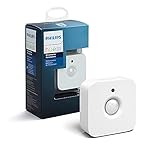
Sonoff Zigbee Motion Sensor


Smart Switches




Security Systems with Monitoring


TV Streamers

Related Posts
Nest Learning Thermostat (4th Gen) Review – 6 Months Later

Home Assistant Green Review – 6 Months Later

Smart Home Guide 2026 – What to Buy, Platform Updates & More!
Matter Devices, New Smart Locks, Which Platforms We Recommend and Cool Devices to Consider.
By Josh Teder
It’s 2026 and a lot has happened in the world of smart homes. In this post, I’m going to walk you through all of it — from the latest updates to the Matter standard and an exciting new smart lock specification called Aliro, to platform changes across Google, Amazon, Apple, and the smaller hub players, plus the specific devices I’ve been installing in my new home.
The Matter Standard in 2026: Still Worth Paying Attention To
The first thing we need to talk about is the Matter smart home standard, which just seems to be everywhere this year. This is the universal smart home standard that lets you use smart home products with any smart home platform — whether that’s Home Assistant, Apple Home, Google Home, or Amazon.
Now, while all of these platforms support the Matter standard, that doesn’t necessarily mean they support all Matter device types or even the latest Matter features. For example, Google just two weeks ago finally added support for smart home buttons. So, given all of those caveats, does it still make sense to try to make sure that most of the smart home products you’re buying support the Matter standard? I’d say yes. After moving into a new home and buying new smart home devices myself, that is what I’ve continued to do, and all of the products I’ve bought so far have worked with all of the platforms I use day-to-day.
Now, when you buy Matter-certified products, there are a few things you still need to know about how exactly the standard and the technology works, so you can avoid some trip-ups — like I just ran into setting up my Aqara U400 smart lock. When setting it up, Aqara kept telling me in the app that in order to use Matter, I needed to buy their hub, which isn’t really true. Because I know this is a Matter over Thread device, and I already have devices that act as Thread border routers in my home, I don’t actually need their hub for this lock to show up in the smart home platforms that I use.
Now, if what I just said sounded like I was speaking a foreign language to you, don’t worry — I’ll break this down. It’s pretty simple to understand once you go through all the parts. At a basic level, Matter devices work by simply setting them up in an app. You’ll usually need to scan a QR code on the device itself to bring it into your smart home platform of choice. In this case, I did this via Apple Home and boom — the device is there, it works, and I just saved myself $100 on an Aqara hub I didn’t really need.
Wi-Fi vs. Thread: What’s the Difference?
In 2026, I still think it’s a good idea to understand Matter over Thread and Thread border routers — but thankfully this is also pretty simple. Typically, Matter devices work either over Wi-Fi or Thread. You probably already know what Wi-Fi is, but what is Thread? Thread is a wireless communication protocol that’s similar to Wi-Fi, but it’s designed specifically for devices like smart home devices to communicate with one another, and is generally much better for battery life. That’s why you’ll see devices that use a battery for power — such as door locks — use Thread.

So in general, for all types of Matter devices to work, you need a Wi-Fi router in your home and then what’s called a Thread border router, which connects your Thread devices to your home network and then to the internet. The slightly confusing thing here is that, unlike a Wi-Fi router that you just go out and buy, for Thread border routers you don’t usually need to go out and buy one — though you certainly can, like if you’re using Home Assistant with the Home Assistant Connect ZB-2.
You likely already have a Thread border router in your home. Products like HomePods, HomePod minis, newer Apple TVs, Nest Hubs, the Google TV Streamer, and some Amazon Echo devices all act as Thread border routers.
Multi-Admin: Using One Matter Device Across Multiple Platforms
So what happens if you want to set up a Matter device in one platform but also want it in another? Do you need to scan that QR code and set it all up again from scratch? Actually, no. Pretty much all major smart home platforms that support Matter also support a Matter feature called multi-admin.
The way this works is you click on the device’s settings in the app you’ve already set the device up in. In Apple Home, you’ll click “Turn on pairing mode” to generate a code. In Google Home, you’ll click on device information, then “Linked Matter apps and services,” and then “Link apps and services” to generate a pairing code. It’s different for each platform, so you’ll want to look up how to do this for your specific one. From there, you copy the code, paste it in, follow the steps, and you’re good to go.
In the future, you’ll have the ability to just share all of the Matter devices on one platform with another. This feature is called enhanced multi-admin, but it takes two to tango — and it has not yet been rolled out by major platforms like Apple Home, Google Home, or Amazon.
Aliro: The Smart Lock Standard That’s About to Change Everything
In 2026, there’s also another major smart home standard you should know about that’s launching very soon: the Aliro smart lock standard. The best way to understand what this standard is going to mean for smart locks is to look at the capabilities of the Aqara U400 smart lock, which I recently purchased.
This smart lock not only has tap-to-unlock capability using near field communication (NFC) — which many smart locks have had for years thanks to Apple’s Home Key technology — but what makes the lock so unique is that it can automatically and precisely unlock as you approach it from the outside, using a newer technology for smart locks called ultra wideband. This is the same technology that powers Apple’s AirTags and precision finding features. In this case, the lock uses ultra wideband to support Apple’s Home Key Express mode, which is what this auto-unlocking feature is called in Apple Land.
“The hands-free unlocking has worked pretty flawlessly for me over the past month. I don’t think I’d buy a lock without it going forward.”
This lock is also Aliro ready, meaning it has the necessary hardware requirements for the Aliro standard and all it needs is a software update once the standard goes live. So what is the Aliro standard? At a basic level, it brings the Home Key experience beyond Apple to Android. Now, you’ll want to pay attention to this part because not all Aliro-certified locks will be created equal. Some will only use NFC — where you tap your phone or watch to the lock — plus Bluetooth LE. Others, like the Aqara U400, will use NFC, Bluetooth LE, plus ultra wideband. That’s the kind of smart lock you want, in my experience.
Here in the US and worldwide, you can expect other locks to come to market once the spec goes live, including — I’d expect — renter-friendly options. Other ultra wideband smart locks were announced at CES last year but have yet to be released, likely waiting for the Aliro standard to fully launch. The Ultraloq Bolt Mission UWB lock did finally launch after CES this year and has ultra wideband, but does not support Apple’s Home Key Express mode at the time of this writing. Aqara also just announced it will be working with Samsung’s Home Key equivalent feature through the Samsung Wallet app.
Smart Lock Grade Levels: What You Need to Know Before You Buy
There’s one other thing you’ll want to consider with these locks that I didn’t even realize was a thing until I bought my home: the grade level of the lock. This will differ depending on whether you’re in North America, Europe, or even Sweden, which has its own specific standard. But basically what all of these standards do is rate how physically strong a lock is — how much force needs to be applied before it breaks — as well as other things like how many unlocking and locking cycles the lock is rated to go through.
Grade 3 is your standard residential grade lock here in the United States, which is what the Aqara U400 is rated as. Then there’s commercial grade 2, and then grade 1, which is your top-tier option — the one I’d likely install on a door that opens to a busy road or high-traffic area.
So once Aliro launches, what will happen for Android and iPhone users? For iPhone users, not much other than having more locks to potentially choose from that can now use Home Key Express mode. For Android users, you’ll finally be able to use Google Wallet on Android and Wear OS for these capabilities.
Smart Home Platform Updates: Google, Amazon, and Apple
In the past year, there have been quite a few changes across the major smart home platforms. Google Home redesigned the underlying architecture of its home app and rolled out Gemini for the smart home. So instead of Google Assistant, which was strictly rules-based, Google is rolling out Gemini — its LLM-backed assistant — for the home. They also launched advanced automations with over 20 new starters and conditions, and the new familiar faces feature, where you can label faces that your Google cameras pick up. I’m calling it now: that feature will ruin at least one marriage.
Amazon redid their app, launched a website for their updated assistant, and also switched to an LLM-backed version of their assistant. They have a similar familiar faces feature for Ring cameras and doorbells, and even a search party feature that uses the Ring camera network to search for lost pets — which has attracted some recent controversy. They also refreshed hardware like the new Echo Max and the Echo Studio.
Apple didn’t make many architectural changes to Apple Home in 2025 beyond continuing the rollout of its refreshed underlying architecture and expanding Matter support. But in 2026, we can expect some pretty big changes: the LLM-backed assistant, and some new smart home devices — particularly a rumored smart home display, which would mark the first time Apple has entered that product category. Google hasn’t updated much of its smart speaker line in a while, but did announce late last year that a new Google Home speaker would arrive sometime in the first half of 2026, and it looks really nice.
Other Smart Home Platforms Worth Knowing About
Those are the big three, but what about the other platforms? Samsung SmartThings rolled out more Matter support, Thread network unification (meaning border routers from different brands can join a shared single-Thread mesh network), plus an in-home intercom feature and better advanced routine scheduling.
Homey, whose company LG acquired an 80% stake in 2024, rolled out quite a few new features, including a self-hosted server option so you can run Homey Pro from your own hardware — very similar to Home Assistant. They also released a Matter Bridge app that allows Homey Pro to bridge its connected devices, including non-Matter devices, to platforms like Apple Home and Google Home via Matter. That’s actually a pretty important feature and something Home Assistant doesn’t do in its default configuration. Homey also released a new Homey Pro with double the RAM and a faster processor, and a new Homey Pro Mini that retails for a much more affordable $199. That Mini supports Zigbee, Thread, and Matter, but omits Z-Wave and infrared.
And then there’s Home Assistant. In the past year, they’ve rolled out a built-in voice assistant that supports LLMs locally, a new section-based dashboard, a redesigned notification engine, Thread border router unification, and energy management enhancements.
I always forget about Hubitat, though I know it’s popular for being a rock-solid, locally controlled smart home hub where you can program all of your automations. It’s just that since it’s not open-source, not as customizable as Home Assistant, and its UI doesn’t seem to be as nice as Homey’s, I haven’t found a reason to pick up one of their C8 hubs.
Why Even Use a Dedicated Smart Home Hub?
You may be wondering why you’d ever need one of these other smart home platforms if you can just use one of the big three, especially now that Matter exists. The reason all of these hub companies and communities still exist is primarily that they support more complex customizations, a wider range of devices, more complex automations, and — probably the most important thing — they all run locally.
Out of the big three, Apple is the only one that stores your automations locally on your home hub, which is either an Apple TV or a HomePod. So if your internet goes down, all of your automations and local app control will still work. Amazon is still heavily reliant on its cloud servers for automations, and actually just removed most of their local voice processing from Echo devices to support the new LLM-backed assistant. That’s why I don’t use Amazon for any automations.
“If you just want to run automations locally — even really custom ones — going with Homey or even Apple Home is going to be easier for most people. The only real downside with Home Assistant is that it still lacks a bit of polish.”
Google is a bit more of a hybrid — complex scripts and voice commands are processed in the cloud, but Google Hubs can now process some basic commands locally. Because my partner uses Android and I rotate between iPhone and Android depending on what I’m reviewing, and we’ve got Nest and Google Home devices throughout our home, that app makes the most sense to use as our primary control interface. Though I’ve consistently found Google’s assistant to be slower at controlling smart home devices compared to Amazon and Apple, so I’ll often switch to using Apple since I have a few HomePods around.
If you want to make sure your automations run locally even when the internet goes down, you’ll need another system to handle that. For me, that’s been primarily my Home Assistant Green, which offers a lot of customizability and the ability to tinker with some pretty advanced automations. I also got sent a Homey Pro Mini from Homey to try out, which can honestly do a lot of what I’ve been using Home Assistant for — and I wouldn’t need to buy extra modules for it since it already has Thread and Zigbee built in. Plus, it’s way easier to use out of the box and has a simpler, prettier UI.
Home Assistant’s only real downside is that it still lacks a bit of polish. Its UI can be confusing, and it can get so complex that some people are even turning to Claude Code to help get their Home Assistant installation exactly the way they want. There’s a fascinating story by Jen Pattison Tuohy from The Verge on her experience with Claude Code and Home Assistant — I’d strongly recommend reading it.
Another benefit of these hub platforms is that they can help bridge the gap between other platforms. You might have a smart home device that can’t work with Apple Home, for example, but you could bring it into Home Assistant or Homey and then push it into Apple Home. With the Matter standard, this is thankfully becoming less necessary, but use cases still exist. I’ve done this with a lot of Zigbee and Z-Wave devices, which you can pick up on sites like Amerroid. Zigbee smart plugs, for example, are way cheaper than their Matter counterparts. With a Home Assistant Green Zigbee controller and a Homey Pro Mini, I can get cheaper devices, have everything run locally, and with Homey’s Matter Bridge feature, push those Zigbee smart plugs to whatever platform I want for voice control.
IKEA’s New Matter Smart Home Lineup
Late last year, IKEA launched 21 new smart home products that support Matter and use Thread. While not all of them have launched in the US yet, the ones that are available are priced incredibly reasonably — like $6 per smart button or $8 for a water leak sensor. However, some users are having issues getting them set up, seeing them fall off their Thread network, or running into other incompatibility issues. IKEA has stated they’re working on a fix, but it might be something to monitor before you go out and spend a lot of money on these devices.
The Smart Home Devices I’ve Installed (and Recommend)
As someone who just moved into a new space, here’s what I’ve installed so far and in what order. All of the products mentioned in this post can be found in the product cards below.
Smart Thermostats
Once you have smart thermostats set up, automating your home temperature and schedules becomes much easier. They can also turn off when they detect no one is home based on your smartphone’s location data. I went with the fourth-gen Nest Thermostat, mainly because they’re the prettiest in my opinion with their Farsight display options. I also love the learning nature of the Nest thermostats — how they’ll adjust your comfort temperatures over time based on habits they pick up. They’re definitely going to get the spouse approval. The ecobee Premium is a close second and also a very nice-looking thermostat.
Security Cameras and Doorbells
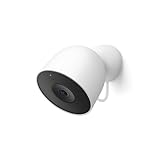
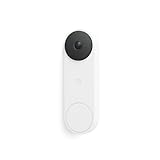
I went with Google again here because I thought the Nest Doorbell looked better than the Ring options. Once I decided on the doorbell, I also wanted the familiar faces feature and package detection for any other cameras I needed to integrate into the Google Home app. So I got a Nest Cam for my garage as well — which yes, I sometimes actually do get packages delivered into.
The familiar faces feature is a paid feature, part of the Google Home Premium subscription. I get that anyway because I’m a Google One member, where you get around 10% off everything at the Google Store, plus 2TB of Google Photos storage and some other perks for about $100 a year. The package detection feature, however, does not require a premium subscription — which was one of the reasons I originally got a Nest Doorbell battery back when I was in an apartment.
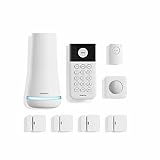
For my security system, since Google discontinued their Nest one, I went with Ring — which is solid from a technical standpoint and has pretty affordable plans compared to competitors here in the US.
Smart Appliances
Moving into a new home naturally comes with appliances, and almost all of mine are smart. My GE induction stove connects via Bluetooth to the GE range hood above it, and anytime you turn on a burner it turns the range hood on to whatever setting you’ve specified. My Bosch fridge I bought not primarily for its smart features, but for its dual compressor and dual evaporator system, which more precisely controls temperature and keeps fruits and vegetables fresher for longer.
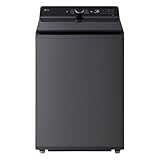
For the washer and dryer, I got two top-of-the-line LG models in matte black. They not only tell you when loads are done, but they communicate with each other — when you move a load from the washer to the dryer, the dryer automatically knows what type of load it is. They both have displays that pull information from the manual and tell you what each mode is for, and you can customize the order those modes appear. The app also lets you change the chime each machine makes when it’s done, which is objectively unnecessary — but I have the washer play Beethoven’s Fifth and the dryer play Beethoven’s Ninth, and I love it. They’ll send notifications to my watch when loads are done as well.
Smart Garage Door Openers
My smart garage door opener is made by Chamberlain, which I did not choose intentionally — Chamberlain has basically a monopoly in the US with over 70% market share, and they refuse to integrate with any major smart home platform after being purchased by private equity firm Blackstone in 2021. The Amazon in-garage delivery feature is actually pretty great and something I use often to reduce the chance of packages getting stolen. But if you’re looking to put in a new garage door opener, I would not recommend Chamberlain. I’d either look at Genie, or Kwikset — the lock maker just entered this space with a new garage door opener they plan to integrate with major smart home platforms.
Smart Blinds
I got smart blinds for every window in my home, mainly to test long-term whether having them on every window is actually worth doing. I did get a media discount from Lutron, but still ended up spending thousands on this project since I have 18 windows, all in real wood blinds. (And yes, I bought them about two months before Lutron came out with an even more affordable version in the exact same color — so these would be quite a bit cheaper to get today.)
The reason I went with Lutron is their rock-solid performance. I had one in my apartment office for years. The battery lasts anywhere from 3 to 5 years before you need to change it. And I love the natural light optimization feature, where different blinds adjust their tilt throughout the day depending on which direction that window faces.
Smart Lighting
The smart lighting brand I continue to use is Philips Hue. I started using them back around 2014, and the reason I still use them — aside from the giant box of bulbs and accessories I have from my apartment — is that their performance over time has been rock-solid. All automations run locally, everything is controlled locally via the Philips Hue Bridge. It’s just a solid, dependable system with a huge range of bulb types and accessories.
That’s not to say there aren’t other great smart lighting brands out there — I’ve just been using Philips long enough that there hasn’t been a compelling reason to switch. Philips did just release a new line called Essential Hue bulbs, which is even more affordable. I’d also call out the new Festavia Globe outdoor string lights, which let you change the pattern of lights — red and green for Christmas, orange and purple for Halloween, etc. Those are really cool.
If you already have light fixtures or lamps that can’t work with smart bulbs, there are a few options — but in general, I always recommend going the smart bulb route. Smart bulbs are just superior in terms of controlling dimness, color temperature, and remote access. For fixtures that aren’t smart-bulb compatible, like my new Gantry light with an integrated dimmer switch, I put it on a Philips Hue smart plug. These are on the expensive side for smart plugs, but if you’re in the Hue ecosystem they let you incorporate that fixture into your scenes. Smart plugs in general are also a great way to control any non-smart device in your home — a fan, decorative lights, a Christmas tree.
Smart Switches: The Last Piece of the Puzzle
Another option for lighting control is a smart light switch. I’ve seen options from Lutron come highly recommended, but there are others worth looking at as well, which I’ll include in the product cards below.
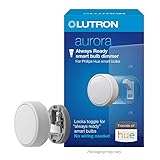
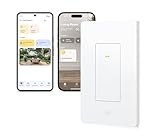
The one remaining downside to smart lights that I haven’t fully solved is the physical wall switch. Philips does have a software feature where if someone flicks the switch off and back on, the bulbs return to their previous state — but that’s still kind of a band-aid solution. In general, I think there are three options. First, you can install a plastic toggle cover that prevents a physical switch from being flipped by visiting guests, though these look a bit tacky. A better option is Lutron’s Aurora smart bulb dimmer, which installs over the physical toggle switch and keeps it permanently in the on position. Or you can replace the switch entirely with a smart switch that has a smart bulb mode — Lutron, Zooz, Eve, and TP-Link all make popular options, some using Matter over Thread and some over Wi-Fi.
Follow 6monthslater.net for ongoing updates to all of the smart home gear covered here — that’s where updates will be posted in the quick post feed on the homepage, and you can also subscribe via RSS. For all of the products mentioned in this post, you can see links to multiple retailers and live pricing in the product cards below.