by Josh Teder
The iPhone 16 Pro Max was a phone that promised to usher in the era of Apple Intelligence, but did it? 6 months after launch, Apple has abandoned some of its biggest Apple Intelligence promises. Photo quality is still questionable, and I’m left wondering if this $1,200 titanium hefty slab of a phone is actually worth it. First though, let’s talk about the positives.
The iPhone Experience
The first one is it’s an iPhone. Now if my major highlight with this phone is that it’s an iPhone, that should probably tell you something about how revolutionary this device really feels after using one for 6 months. But using an iPhone definitely has its advantages. First, there’s that distinct look and feel that’s very clean, very Apple. You get features like widgets on the lock screen, dynamic widgets on the home screen, and the Dynamic Island, which is a persistent place to access certain tasks running in the background like music playing, phone calls, or timers. Live Activities is a standout iPhone experience which shows you beautifully designed persistent notifications on the lock screen for important things like when your parking expires, when your flight is taking off, or even sports scores. Control Center was also updated in iOS 17, so it’s now much more customizable. You can add widgets from apps like Chatt or your car app so I can turn on the air conditioning in my Model 3, which I bought in 2018, right from the Control Center. But all of these features I would have gotten if I had just kept my previous iPhone 15 Pro Max. They’re not exclusive to the new models.
Apple Ecosystem Integration
The next highlight I’ve had with using this iPhone is the seamless integration within Apple’s ecosystem of products. You can copy and paste things from your iPhone to your Mac or even use everything on your iPhone via the Mac with the Continuity suite of features. Your calls and messages sync everywhere across your Apple devices, and the iPhone and Apple Watch work great together for things like controlling media and working out with Apple Fitness Plus. You can play Apple Music from your iPhone to AirPlay enabled speakers. One new thing I’ve noticed is when I open the Apple Music app in a room where I’ve grouped AirPlay speakers together, I’ll get a little notification from the Dynamic Island that suggests AirPlay to those speakers, which I can do with a single tap. That’s actually been pretty useful. You also get seamless switching with AirPods, and Apple makes it really easy to use your iPhone as a webcam with your Mac and Apple TV wirelessly via Continuity Camera. That’s something I’ve used all the time with this iPhone, but again these ecosystem features are something you can use with other iPhones.
Action Button and Shortcuts
Another highlight I’ve had with this iPhone is the Action button. Well not new on this iPhone, it’s still something I’ve used all the time, mainly to turn on Do Not Disturb with one press, which not only sets that for my iPhone but all of my connected Apple devices. You can even rig it up to a custom shortcut you can create in Apple’s Shortcuts app. Shortcuts allow you to automate tasks and do more with your iPhone, like set color filters to turn the iPhone screen to grayscale late at night, which mimics Google’s bedtime mode, or shortcuts to convert HEIC images to JPEG. More on why I need to do that later in the video, but again all of that can be done with the previous iPhone models.
Display and Size
So are any of my highlights actually going to be about this specific iPhone model, you may be wondering? Yes, the iPhone 16 Pro Max has slimmer bezels and a great display. Scrolling through the new 6 Months Later homepage to catch up on our latest content and stories from across the web looks great on it. Is the display or phone itself too big? Uh, that was something I was really worried about when I first got it. It is noticeably larger than the previous version, but 6 months later the size of this phone has been fine. The main problem I’ve had with it is still it weighs a bit too much for my liking. It strained my hand a bit on days with heavy usage. If you have small hands or just don’t like big phones, the 6.3-inch Pro will probably be a better choice. It has the exact same camera system as the Pro Max but a smaller battery.
Battery Life and Performance
Speaking of which, battery life on the 16 Pro Max is very good. It just sips power. Most days I end the day with 50 to 45% battery left. I did get to test out this phone under heavy usage when I got sick before filming this video. With 8 hours of screen time, it was able to last me throughout the entire day. I only had to turn on low power mode for the last hour. Face ID continues to pretty much be the gold standard in authentication in terms of how secure it is and easy to use.
Design and Setup Experience
Another highlight is the titanium finish from last year’s iPhone that returns with this one and still looks great. The setup experience with the phone is exactly what you’d expect from Apple. You bring your new iPhone over to your current one and boom, it’ll download and update and then get the thing ready. After the update downloaded though, it made me start the setup process all over again, which was a bit annoying. The iPhone and Apple Watch transfer this time was seamless. I didn’t need to unpair and repair it like I had to do in years past. For data transfer from one iPhone to another, you’ll definitely want to choose the iCloud option. That took like 25 minutes versus an hour trying to direct transfer from one iPhone to the other.
Microphone Quality
Moving on, let’s talk about mics. Apple upgraded the mics on this phone to have a lower noise floor, and overall I found them to be quite good. Here, have a listen:
“All right, and this is what the onboard mics on the 16 Pro Max sound like when I’m just talking into the phone recording in the recorder app, and then here’s what it sounds like when I hold it up to my ear now.”
Apple Intelligence
Notice so far I haven’t even mentioned the main feature that Apple has been using to market this phone: Apple Intelligence. And there’s a reason for that. When Apple Intelligence was first announced, I actually thought it was a brilliant move. Instead of just labeling all of these new features as powered by AI like every other company was doing at the time, Apple choosing to use the term Apple Intelligence made it feel like Apple was doing something different, even when these new features were in reality very similar to the competition from Google and Samsung. 6 months later, however, the term Apple Intelligence feels unmoored from its central premise: a smarter, more intelligent Siri, because the company failed to ship that. What actually shipped: writing tools across the OS, Image Playgrounds, cleaning up backgrounds of photos, notification summaries (which are more funny than they are useful in my experience), priority messages in the Mail app, new animations, Genmoji, but no personalized and better Siri. Apple’s assistant has actually gotten worse in my experience. It’s kicked to ChatGPT for simple questions. It’s just been kind of odd.
AI Features Assessment
Now, disabling that ChatGPT integration did help, but Apple’s assistant definitely doesn’t feel smarter. The only Apple Intelligence features I think have generally been fun and useful are the background removal feature, which Google has had forever now, Genmoji, and maybe the Apple Mail stuff if you use Apple Mail. The problem with Genmoji is not all apps will recognize the emojis that you create as actual emojis; they’ll instead treat them like they’re blown up giant images. The writing tools I found to be less useful than I had originally thought they’d be. They’re missing explanations for why they made changes and highlighting words or phrases that could be improved like Grammarly does. 6 months later, I still find I’m using Grammarly over Apple’s writing tools.
A18 Pro Chip
The A18 Pro chip is another feature I haven’t found myself particularly marveling at. Like, I do use it, and this phone has been fast for sure, but for my use cases at least, like with a lot of Apple products, the chip inside here is probably a bit overkill for what I actually use my phone for. I don’t game on my phone or do really processor-intensive tasks on it, but the overall benchmarks for this chip are definitely at the top of the market, though yes, beaten out by the S25 Ultra in some respects.
Torres Ostand 360 Spin Case
Moving on, one thing I always do with my iPhones, even though their design is so premium, is put them in a case for protection, like the Ostand 360 Spin case from Torres, the original designer of the Oand case, who sponsored this video. What makes this special is the innovative 360° rotating stand that Torres originally designed. It spins smoothly and locks at precise 90° intervals. The engineering here is impressive with microns-sized bearings cast by a 100-ton press machine, giving it that satisfying feel. You can use this case practically everywhere: in the kitchen following recipes, at your desk for video calls, while traveling for entertainment, and it sits perfectly on a bedside table. But versatility doesn’t mean compromising on protection. The case has raised edges and corners protecting your screen and camera. Inside are 18 airbags for impact absorption, plus it’s made from the same material used in ski gear. It’s also fully MagSafe compatible with 18N magnets for all of your accessories like the MagSafe charger, which can quick charge this 16 Pro Max at 20 watts. I’ve dropped my iPhone with this case on, and it stayed perfectly intact. The Torres Ostand 360 Spin case is available in several colors: Obsidian Black, Clear, Titanium, and Desert Gold. Get yours today by using the link in the description.
Camera Control Button
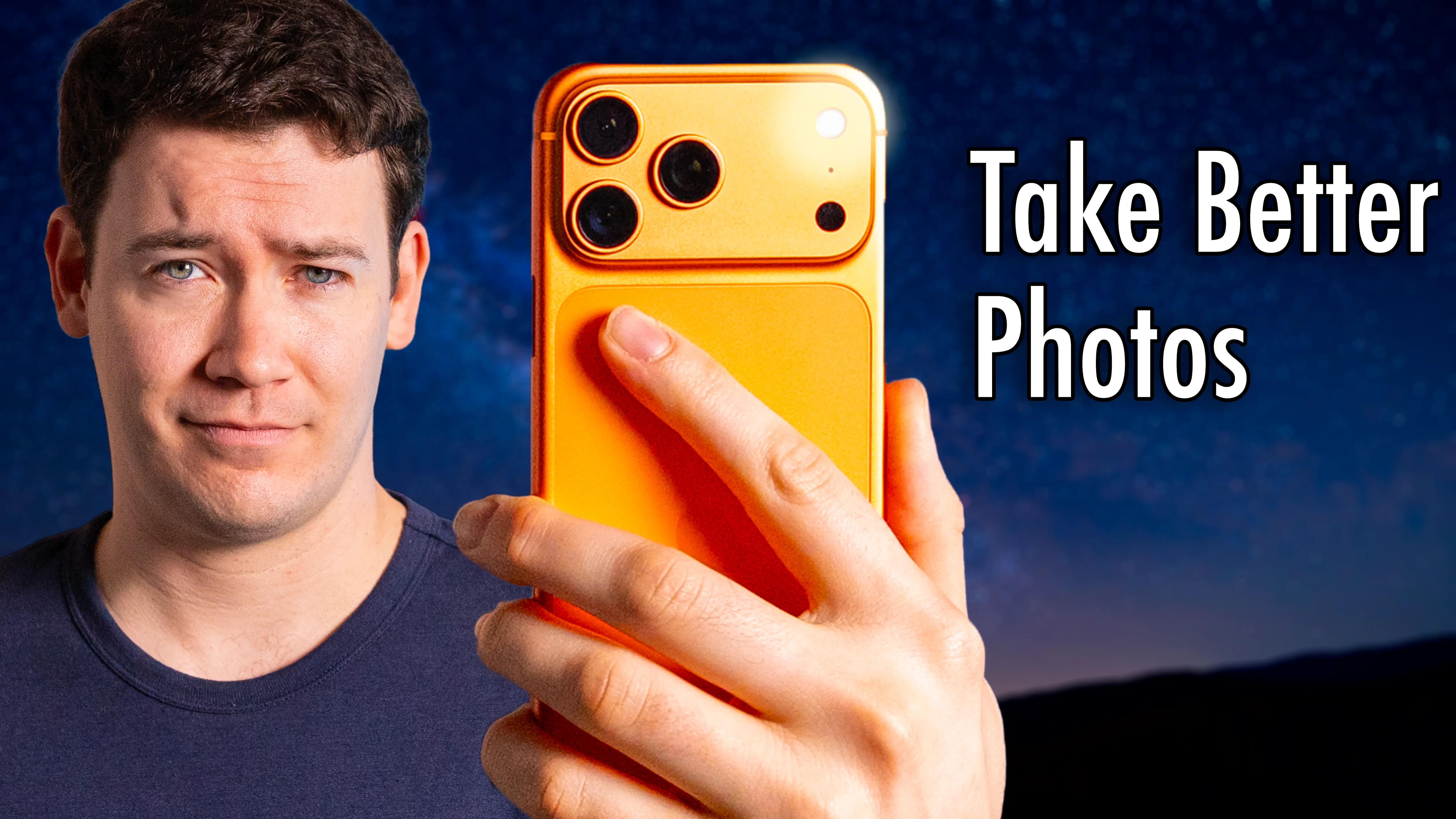
The last major feature I haven’t found myself using with this phone is the Camera Control button. This is the other relatively new and exclusive part of the new iPhone this year. It’s a button that’s both a physical button that you click down on to open the camera app or take a photo if you’re already in the app, but the button at the same time is also a capacitive touch button where you press down what feels like halfway, which triggers a haptic motor to respond, and you can also slide your finger across it to select and adjust certain settings. Apple did a good job with their case to actually make the capacitive touch part usable.
6 months later, have I used it? Yes, though mainly as a shortcut to get to the camera app. However, you can also set it to launch the code scanner, Magnifier, Snapchat, and other supported third-party camera apps via settings, though the apps you can select are limited by Apple. Camera Control button misfires do account for a good amount of my interactions with this button. Thankfully, to reduce the chances of that, you can enable a double-click to open the camera with this button in settings.
Another interesting feature was added after launch for Camera Control, which is the ability to hold down the button and lock autofocus and exposure, but it’s not something I found myself using all that much. If you press and hold down the button, it’ll actually launch Apple’s Visual Intelligence feature, something the company hasn’t talked about a great deal, and I honestly forgot was even a feature before writing up this review.
Downsides: Photo Quality
All right, now let’s talk about the downsides I’ve encountered with this iPhone. First up is photo quality. If I was picking a phone just based on its camera system, it would not be this iPhone. I don’t know what’s happened with Apple’s camera systems, but somewhere the company just lost its way and ceded ground to rivals like Google. I can almost always tell when somebody sends me a photo that that photo was taken on an iPhone because it often looks overly bright, lacks contrast, and has like basically no shadows. Google’s Pixel 9 Pro XL I reviewed largely delivers the experience I think people want out of a smartphone camera system, where what you shoot is close to what the thing looked like in real life.
Apple tried to get around the complaints from people like me about photo quality by introducing a new Photographic Styles feature where you can adjust how overprocessed your photos look before you take the photo as well as after. Doing this after the fact is the significant change. One issue with this is you’ll have to have High Efficiency mode turned on, so photos will save in the HEIC file format instead of JPEG, and not all programs work well with HEIC files, like when I was selling something on eBay, for example, it would not take that format. So then I needed to convert all of the photos that I took of the products to JPEG, which was annoying. Overall, Photographic Styles do help me attain more of the look I want with my photos, but even with them, they don’t quite get me exactly the look I want out of this camera system.
Video Quality
Now what about video quality? Unlike with photos, I actually think overall the iPhone’s videos are great, and unlike with a phone like the Pixel, where you get the best video quality when footage is uploaded to the cloud, processed, and downloaded back to your device with Google’s Video Boost feature, with the iPhone everything is just processed on device. Often videos actually preserve the contrast that’s so often lacking in the photos taken of the same scene, especially when people are the subject. Overall, it’s still one of the best phone camera systems for video, but it doesn’t feel as far ahead as it once was.
Other Downsides
Another downside was the Desert Titanium color. It just wasn’t what I expected from Apple’s photos of it at all. It was way more rose gold, which some people will definitely like, but I ended up swapping mine for the Natural Titanium color. App login inconsistency when migrating iPhones is another slight downside. Some apps like Notion, Eight Sleep, and others I didn’t have to log back into when setting up the new phone, while others like Google Calendar, Sonos, Hey Email, and many more required me to log back in. I wish Apple had a way to just universally log you back into everything.
Another downside is while you can finally schedule iMessages to send at a later date, there’s still no send later option for text/RCS messages, which is weird.
App Store Limitations
The last major downside of this and every iPhone is the App Store. We’re still stuck with Apple controlling what apps you can download to your phone. This not only restricts your freedom but significantly impacts the business models developed around the iPhone. This is because Apple has historically taken a 30% or 15% cut of all app purchases as well as in-app purchases. Not all businesses want to give 30% of their revenue away to Apple, so they’ll degrade their app experiences to avoid paying it.
However, as we were filming this video, a ruling here in the US for now has made Apple loosen its grip on the App Store slightly by allowing companies to link out to other places to purchase things. So the Amazon app can finally link you out to purchase a Kindle book. This is certainly a step in the right direction, but it doesn’t apply to other countries and is still less than the ideal, which would be app distribution via the web, exactly how it works on Mac. And this certainly wouldn’t be worse for users as Apple would have you believe. The App Store today isn’t some glistening garden safe from predatory and bad apps. The App Store is littered with games with in-app purchases and gambling-adjacent models and then just pure gambling like slots apps. Now yes, Google has this crap in the Play Store as well, but at least you get the freedom on Android to install apps from the web onto your device. You cannot download apps from the web to an iPhone, and in 2025, damn it, you should be able to.
Also, Apple and all of these other phone manufacturers should really figure out a way to make the battery truly user-replaceable. That’s another thing on my wish list.
Final Verdict
So has the 16 Pro Max been worth it? Well, as someone who upgraded from the 15 Pro Max, no, that upgrade was not worth it, but that’s been the case with iPhones for a few years now as the smartphone market has matured. Would I recommend getting an iPhone and this iPhone in particular? That depends on what else you’re considering and how many Apple devices you have in your home. Like with a lot of other tech products, the ecosystems you’re in has a lot to do with what phone you’ll likely get.
So if you have a bunch of Apple stuff, you’re still likely going to get an iPhone. Generally though, yes, I’d recommend this iPhone. The performance and battery life are great. The display is great, though I think Apple should make further improvements to the pulse-width modulation used on it for those sensitive to that dimming technology. The camera system is decent, though not as good as my Pixel 9 Pro XL’s, and overall the general vibe I have after trading in my 15 Pro for this new one is it’s basically the same phone.
So if you find a deal on a previous Pro iPhone model where you’ll save a bit of money, yeah, I’d go for it.
iPhone vs Android
Now if you don’t have a lot of tech, aren’t pressured into getting an iPhone over iMessage (which is mainly a US phenomenon), and just need a phone, then I would personally shop around and consider Android because you’ll likely find a better deal on an Android phone like the Pixel 9 Pro XL I reviewed, or I’m currently reviewing the Samsung S25 Ultra, and if you want to see my review of that, make sure you’re subscribed to the channel.
Pro vs Regular iPhone vs SE
Now if you decided that you want to go for an iPhone, should you go with a Pro iPhone, the regular iPhone, or the SE? The real reason I think to go for the Pro iPhones this year is the telephoto camera. That’s one thing I always miss with a phone that doesn’t have one, as opposed to the ultrawide, which the regular iPhone has. Other benefits of getting the Pro Max includes better battery life, a ProMotion display, Pro chip which just has one more GPU core than the A18 found in the regular iPhone 16s, the ultrawide is 48 megapixels versus 12, you get ProRes and log video recording, and the Academy Color Encoding System.
If none of that stuff’s appealing, then the regular iPhone 16 and 16 Plus would likely be a good choice, and then of course the iPhone SE, which replaced the iPhone SE, is just a cheaper iPhone for those who want the core iPhone experience with the latest chip but without things like the ultrawide camera, Dynamic Island, wireless charging, etc.
Where to Find More Information
You can check the current prices of all the iPhones and devices I mentioned below with links to additional retailers for easy comparison shopping, and you can see all the products I recommend at any time by visiting 6monthlater.net/shop.



![Apple Watch Series 10 [GPS + Cellular 46mm case] Smartwatch with Jet Black Aluminum Case with Black Sport Band - M/L. Fitness Tracker, ECG App, Always-On Retina Display, Water Resistant](https://m.media-amazon.com/images/I/31Cud2WnszL._SL160_.jpg)