by Josh Teder
Initial Launch and Display Issues
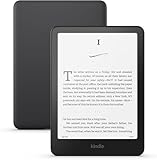
The Kindle ColorSoft launched in November with considerable fanfare, but after spending several months with two different units of this device, I have some concerns that potential buyers need to know about. Shortly after launch, reports started emerging about a display defect. Publications like The Verge and others began documenting widespread reports of screen discoloration affecting many units.
Personal Experience with the Defect
When I finally received my unit after the long wait, I was aware of the potential defect, and sure enough, there it was—a noticeable yellow fade at the bottom of the display panel, sometimes extending to the sides depending on the device you got. Can you get used to it? Yes, you can. But for a device that costs over $200, you really shouldn’t have to.
Amazon’s Initial Response
In November, Amazon addressed these concerns, telling outlets like The Verge that they were working on a fix to prevent the yellow band from appearing in new devices and replacing defective units. They even paused shipments for about a month while working on this supposed solution. When I contacted Amazon about my affected unit, they offered to let me mail it back in for a refund. Then, when they started shipping new units again, I could buy a new “fixed” one. But since I was reviewing it, I didn’t really want to be without a ColorSoft for that long, so I decided to wait until they started shipping new units again before requesting a replacement.
Replacement Unit Experience
In January, when I saw reports that new units were finally shipping again, I contacted Amazon. They agreed to send me a replacement, and after two months since the first reports of the yellow band screen defect, I was hopeful that Amazon had fixed the issue. But when I unboxed the replacement, not only did it have the same yellowing discoloration at the bottom, but the entire screen seemed to have an even more pronounced yellow tint. It almost appeared as if they had calibrated the screen to be more yellow to mask the discoloration at the bottom.
Customer Service Resolution
Checking the box revealed something interesting too: I didn’t actually receive a newly manufactured unit with the fix but rather a factory-refurbished device. At this point, I did some searching and found The Verge’s follow-up story from December, which quoted an Amazon rep saying the fix involved both software and display adjustments. So, they made everything more yellow. Whatever they did, the issue was not fixed, and I’m apparently not the only one. In my frustration, if you look up ColorSoft replacement experiences on sites like Reddit, you’ll find numerous posts from users whose replacement units had the exact same issue.
Amazon’s Final Resolution
When I contacted Amazon’s customer service again, they oddly asked why it had taken so long for me to request a replacement. But after some back-and-forth about the device and the ongoing issues, they unexpectedly offered me a full refund for my original ColorSoft, which was now well outside the normal return window. While this has been a bit of a hassle, Amazon ultimately did right by me with the refund. However, if you’re considering getting a new Kindle ColorSoft right now, I’d strongly advise waiting until this issue has definitely been resolved—or at the very least, make sure you inspect the device, and if it has the defect, return it while you can.
User Experience and Value Assessment
Now, aside from the glaring screen defect, has the ColorSoft been worth it to me during my time with it so far? Well, for the books I typically read—actually, no. While the color display makes the UI look nicer, and you can see the book covers in full color (which is awesome), I thought I would benefit more from having books with color illustrations. But the books I’ve been reading that even have illustrations either didn’t really utilize them or didn’t add as much to the experience as I was expecting.
Display Technology Breakdown
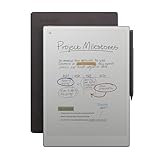
This is because the display technology Amazon is using here is E Ink’s Kaleido display technology, which uses a plastic color filter over a grayscale E Ink panel. With this technology, colors look a bit muted, unlike E Ink’s Gallery technology, which uses actual color pigment particles that are manipulated directly on the screen (this is what the Remarkable Paper Pro uses). You can also see this new film up close on the ColorSoft, which makes the screen look a bit less clear than the traditional Kindle Paperwhite.
Comics Reading Experience
For comics, the screen is quite small compared to reading them on an iPad. But depending on how well-optimized the comic is for a device like the Kindle, I think it’s a really fun experience—though again, the colors are somewhat muted. For other comics, like The Young Avengers one I was trying out, I didn’t find the experience as enjoyable. You have to double-tap on parts of the comic to get it into full view and then swipe through them, but depending on their size, some still look pretty small on the ColorSoft. Still, for a graphic novel or comic like Heartstopper, the color does add to the experience, though they are still a bit muted.
Final Recommendation
While there are certainly normal-looking ColorSoft units out there, far too many users are reporting these display issues across the web for me to recommend trying one out for yourself, especially given the high price tag. I’ll plan to check back on this issue in a few months and buy another unit to see if Amazon has finally gotten their act together. I really hope they are able to actually get all of this sorted, because I do like the device for reading graphic novels like Heartstopper.
Channel Updates
If you want to see my upcoming reviews of other e-readers, including my reviews of the new Kindle Paperwhite, the new Kindle Scribe, or the Remarkable 2 and the Remarkable Paper Pro, make sure you’re subscribed to the channel to see those videos. Special thanks to our Producer-tier Patrons for supporting the channel! If you want to see your name in our credits and support the channel, use the link in the description below.