Transcript
by Josh Teder
Introduction
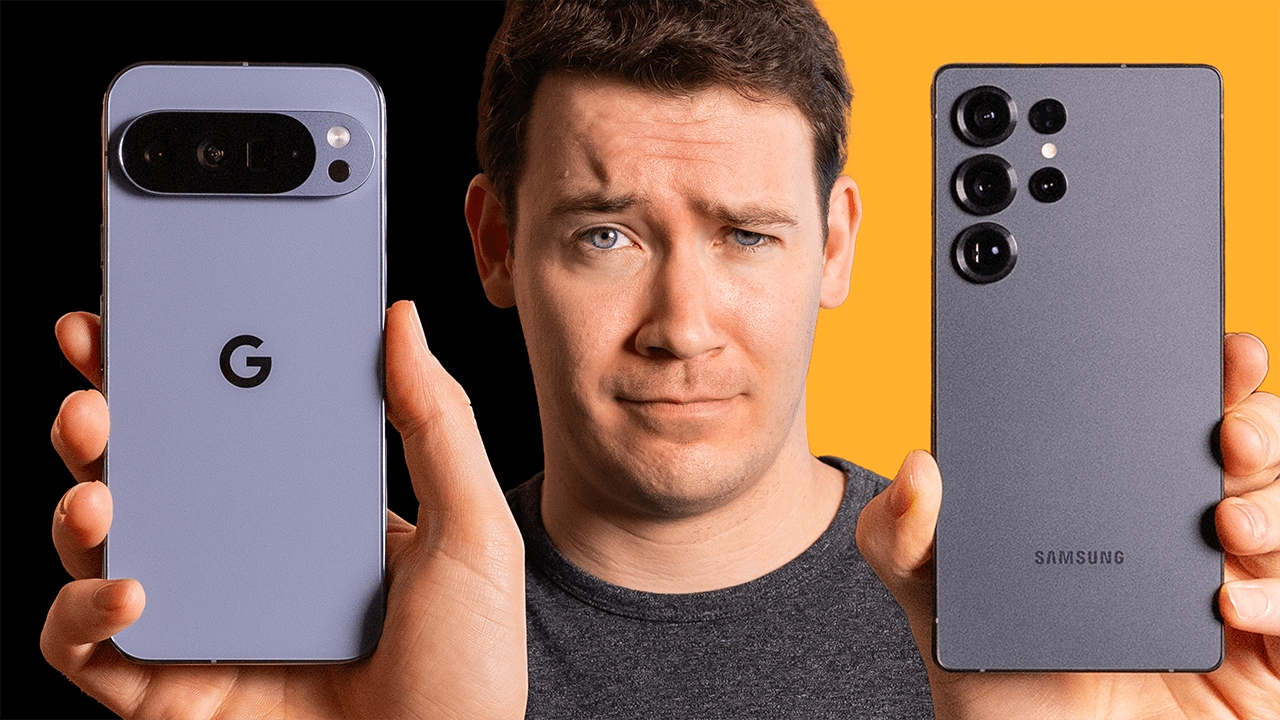
I’ve been using the Samsung Galaxy S24 Ultra I bought for well more than 6 months now, and now that the Pixel 9 Pro XL has been out for a few months, I’m going to take you through how I think these two flagships compare and which one I’d ultimately recommend.
Camera System
First up, the Pixel 9 Pro XL. For me, its number one advantage so far has been its camera system. While yes, the S24 Ultra on paper does have some better specs with its camera hardware, as I’ve talked about before on the channel, like in our Fuji X100S review, megapixel numbers are not everything for smartphones. The processing can be just as important as the camera hardware itself, and the new Pixel 9 Pro XL’s camera system stands out in a few key areas. It’s generally better with contrast and shadows, and it doesn’t oversharpen. With my S24 Ultra, its video quality also has this oversharpening issue that still, more than 6 months later now, hasn’t been fixed and is still present in the S24 Ultra’s video quality. The colors aren’t as punchy with saturation. Overall, the photos look less overprocessed compared to Samsung’s. Combine that with some great Pixel camera tricks like automatic photo unblur, and it beats out the S24 Ultra system in my book. And overall, when using Video Boost, I find the Pixel 9 Pro XL’s footage just looks better. The colors are a bit more vibrant but still true to life, the footage isn’t oversharpened, and it overall looks great.
Design and Form Factor
The 9 Pro XL’s second advantage is form factor. It’s a bit lighter than the S24 Ultra and just feels less bulky in the hand, and the rounded corners also help with this as well. The more pointed edges on the S24 Ultra make it feel bigger than it actually is. The Pixel 9 Pro just gets the balance of a big phone but still being able to easily handle it – it gets that more right.
Price and Software Features
When it comes to price, the 9 Pro XL is also at an advantage – it starts $200 less than the S24 Ultra. Another advantage I’d give to the 9 Pro XL is its software. It’s close to stock Android but not quite the same thing. The Pixel version of Android comes with a host of exclusive features that set it apart. There’s new features like the Screenshots app, a dedicated app for managing and editing screenshots locally and searching through them using AI, which is pretty cool, or camera-specific features like Add Me, though so far this feature has been a bit of a bust in my experience. It’s just not as good as somebody else taking a photo of my husband and I. Every time I see the photos I took using this feature on my recent trip to Iceland and Ireland, I just always know they’re fake – they just don’t feel quite real.
Notification and Integration Features
Notification syncing with other Pixel devices is another standout new feature that just rolled out with the Android 15 update. While it came with the Android 15 update, it’s actually a Pixel-exclusive feature, and Pixels got the Android 15 update well before the S24 Ultra, which mine still doesn’t have. When you dismiss a notification on your Pixel Tablet, for example, that notification will be dismissed on all of your other Pixel devices signed into the same Google account. Though don’t worry, Google makes it really easy to get back to notifications that you’ve already dismissed – you just swipe down to get to notifications and then tap App History to see all of your recently dismissed notifications. A pretty neat feature, right?
Google Integration
It’s little things like that built throughout the OS that really cause people to talk up the software experience of the Pixel phones, and the Pixel phones in general are also the most Google-integrated experience you can probably have in a smartphone today. The At a Glance feature is another great example of this – it’ll tell you about upcoming calendar events, flights, expected package deliveries, and more. The phone call features are also top-notch with options to screen calls, decline spam calls, take notes during phone calls, and summarize calls, stay on hold for you until somebody picks up on the other end. Another small but I’d argue significant feature is the vertical app drawer. Samsung disabled the ability in One UI 6.0 to enable this via Good Lock for some reason, and it’s been almost a year and this functionality is still missing.
S24 Ultra Advantages
So now let’s talk about the advantages of the S24 Ultra. The first one is One UI and customizations. There are so many things you can customize on this phone, especially when you use an app like Good Lock, which allows you to do things like customize the look and feel of One UI, create more volume steps, and so much more. And then there are the baked-in features of One UI like Edge Panels and split screen, which I think is superior to Google’s implementation of split screen, which is a bit more hidden to get to.
Display Technology
The second advantage for the S24 Ultra is its display stack. It has 75% less glare with Gorilla Glass Armor compared to the previous S23 Ultra, and it’s four times more scratch resistant and three times better with drops. Interestingly though, the Pixel screen can actually get brighter than the S24 Ultra’s, which I think is the first time that’s ever happened. The S24 Ultra also has a higher pulse-width modulation, otherwise known as PWM, which should be better for those who are sensitive to that refresh. Overall, I think the S24 Ultra’s display is just nicer to look at and view things on thanks to that anti-glare coating and also a new feature called Adaptive Color Tone, which is similar to Apple’s True Tone technology, which will adjust the colors and white balance based on your ambient lighting conditions.
S Pen and Performance
Coming in at the number three advantage for the S24 Ultra is the S Pen. You can write notes, convert handwriting to text, use it as a camera remote, magnifying glass, and more, and for those who love a stylus experience, it’s one of the few phones that comes with one this good. The fourth advantage is the S24 processor – it is more powerful than the one found in the 9 Pro XL, but in everyday scenarios like taking photos and videos and just using apps, I haven’t noticed the difference between them.
Battery Life and AI Features
Battery life is also a close call – both have easily lasted me all day with light to moderate use, which for me is typically two, maybe 3 hours of screen time and then 1 to two hours of background activity for music and podcasts.
Samsung Galaxy AI also has some exclusive features worth mentioning. There’s Live Call Translation, which surprisingly Google doesn’t have a comparable feature for on the Pixel – it has a similar Interpreter Mode, but that’s not quite the same. Then there’s Instant Slow Motion, which lets you take a video at a normal 30 frames per second or 60 frames per second, and then it’ll slow it down and use AI to fill in the missing frames to make it a slow-motion video. Now the Pixel does let you adjust video speed, but it won’t actually use AI to insert new frames to make a slow-motion video, which is kind of annoying.
AI Feature Comparison
Now is there that much of a difference in their AI features overall? Uh, yes and no. They certainly each have unique AI-powered features, but both have the big major ones like using Gemini as your main assistant, though there still isn’t full parity with what the Google Assistant could do, like play music from services other than YouTube Music or control a specific setting on your phone like brightness or turning off the flashlight. They also have the ability to take certain things out of your images as well as add things in that weren’t really there, which that last part does feel a bit gimmicky.
Final Verdict
So which phone should you choose? OB, this year I haven’t had that hard of a time deciding between these two flagships. If it were me, the Pixel 9 Pro XL is the clear winner for some very basic reasons: it feels way better in the hand, is $200 less expensive, is slightly lighter, has a simplified UI (though one that’s packed with a ton of really helpful features), I like Google’s photo processing and video quality with Video Boost better, notifications now sync between it and my other Pixel devices like my Pixel Tablet, and overall – and this part is really subjective – but I think Google’s design language with all of their products this year is just a bit prettier and more elegant than Samsung’s.
Conclusion
So generally, the Pixel 9 Pro XL is the phone I’d suggest for most people, even if there are things that I really do like about the S24 Ultra like One UI’s customability, the better anti-glare coating, and Adaptive Color Tone tech Samsung built into their phone this year, which just makes the display look better than Google’s. But when you consider the entire package, I really do have a hard time justifying the S24 Ultra over the Pixel 9 Pro unless there are one or two things the S24 Ultra has that the Pixel doesn’t that are must-haves for you.
Additional Resources and Call to Action
And to see if either phone has gone on sale, you can check out the current prices for both phones and all of the other products I mentioned in our blog post below:
Featured Products
If you buy something from a link, 6 Months Later may earn a commission. See our ethics policy.