Featured Products
If you buy something from a link, 6 Months Later may earn a commission. See our ethics policy.Smart Home Platform Products
Home Assistant Green
Home Assistant Connect ZBT-2 (Zigbee and Thread)
Home Assistant Voice Preview Edition
Home Assistant Connect ZWA-2 (Z-Wave)
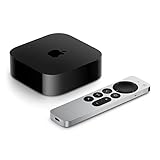
Apple HomePod Mini
Learn More
I used Claude to vibe-code my wildly overcomplicated smart home – Jennifer Pattison Tuohy, The Verge
Related Posts
Smart Home Guide 2026 – What to Buy, Platform Updates and More!

Home Assistant Green Review – 6 Months Later

Why you should be using Home Assistant in 2026
The benefits and headaches of the open-source platform, plus other options.
By Josh Teder
It’s 2026, and if you’re into smart home technology, you probably should be using Home Assistant. But why, when Apple Home, Google Home, and Amazon are all right there? I’ll take you through why I keep coming back to Home Assistant time and time again, and cover some more user-friendly options that can help solve common smart home headaches along the way.
What Home Assistant Actually Is
At its core, Home Assistant is an open-source home automation platform that runs locally on your own hardware. That means all of your automations, all of your smart home control, everything happens in your home, not some company’s cloud. And these automations can be way more complex than anything you can do with your average smart home platform.
Because Home Assistant is open-source software, it’s maintained by a large community of developers and enthusiasts who continually add new integrations and features. This is one of the coolest things about it. Home Assistant has become much more modular and somewhat plug-and-play depending on what you’re trying to do and how technical you are.
Getting Started: Hardware Options
You can start with something as simple as their purpose-built hardware like the Home Assistant Green, which is what I use and has been great overall, or you can install it on your own hardware. The Home Assistant Green is a simple plug-and-play device. You literally just plug it in, connect it to your network, follow the setup steps, and you’re good to go.
“Because it’s open source, if there’s a smart home device out there, chances are somebody in the community has already created an integration for it.”
If you want to expand your setup, Home Assistant has these things called add-ons, which are essentially plug-and-play modules you can install with just a few clicks. Things like Node-RED for visual automation building, ESPHome for DIY smart devices, or even a full voice assistant that runs entirely locally. They also have official hardware modules like the Connect ZBT-1, which you can plug into your Home Assistant device via USB and instantly get Zigbee, Thread, and Matter support.
What’s New in the Past Year
In the past year, Home Assistant has rolled out a built-in voice assistant with their voice assistant preview hardware, a new section-based dashboard, and a redesigned notification engine. They’ve also added Thread border router unification and energy management enhancements. It’s a meaningful set of updates that shows the platform continues to evolve.
Is Homey Worth Considering?
Home Assistant isn’t the only locally controlled smart home hub out there doing complex automations. Homey is another option worth looking at if you want more complex automations and local control, but with a better-designed UI that’s also a bit easier to start with.
Homey, whose parent company had an 80% stake acquired by LG in 2024, rolled out quite a few new features recently, including a self-hosted server option so you can run Homey Pro on your own hardware, similar to Home Assistant. They also released a Matterbridge app that allows Homey Pro to bridge its connected devices, including non-Matter devices, to platforms like Apple Home and Google Home via Matter. That’s actually a pretty important feature and something Home Assistant doesn’t do in its default configuration.
Homey also released a new Homey Pro with double the RAM and a faster processor, plus a new Homey Pro Mini that retails for a much more affordable $199. The Mini supports Zigbee, Thread, and Matter, but leaves out Z-Wave and infrared.
What About Apple Home?
You might still be wondering whether getting an entirely different smart home platform is really necessary if you just want to run something on Apple Home. Apple Home may actually be the one exception worth calling out here.
Out of the big three, Apple is the only one that stores your automations locally on your Home Hub, which is either an Apple TV or a HomePod. So if your internet goes down, all of your automations and local app control will still work. Home Assistant will still allow you to run more complex routines and integrate with more types of devices, which you can then push to Apple Home via a bridge mode. That’s what I do with my Zigbee smart plugs, for example.
“If you want more advanced automations and local control even when the internet is down, Home Assistant is absolutely worth checking out.”
The Downsides of Home Assistant
The only real downside with Home Assistant is that it still lacks a bit of polish. Its UI can be confusing at times and somewhat cumbersome to deal with. It can get so complex that some people are now turning to AI tools to help wrangle it. The Verge’s Jennifer Pattison Tuohy wrote a fascinating piece on her own experience using Claude Code to get her Home Assistant installation exactly the way she wanted — well worth a read if you’re curious about where this is all heading.
Should You Use Home Assistant in 2026?
Is Home Assistant necessary for everybody? No. If you use Apple Home and you’re happy with the automations you can create there, you’re totally fine. But if you want more advanced automations, want to connect to devices that aren’t supported by platforms like Apple Home or Google Home, want local control even when the internet is down, better privacy with your smart home data, or want to bridge non-Matter devices into your smart home ecosystem, Home Assistant is absolutely worth checking out.
If you want to learn more about Home Assistant, including which hardware to get, check out our Home Assistant Green review and our Homey Pro review for a look at the alternative. You can also find links to hardware options and live prices over at our shop page.