Pixel 10 Pro XL Review – 6 Months Later
Is the camera still the best? Plus the biggest downside I’ve found with using the phone (it’s not Tensor)
By Josh Teder
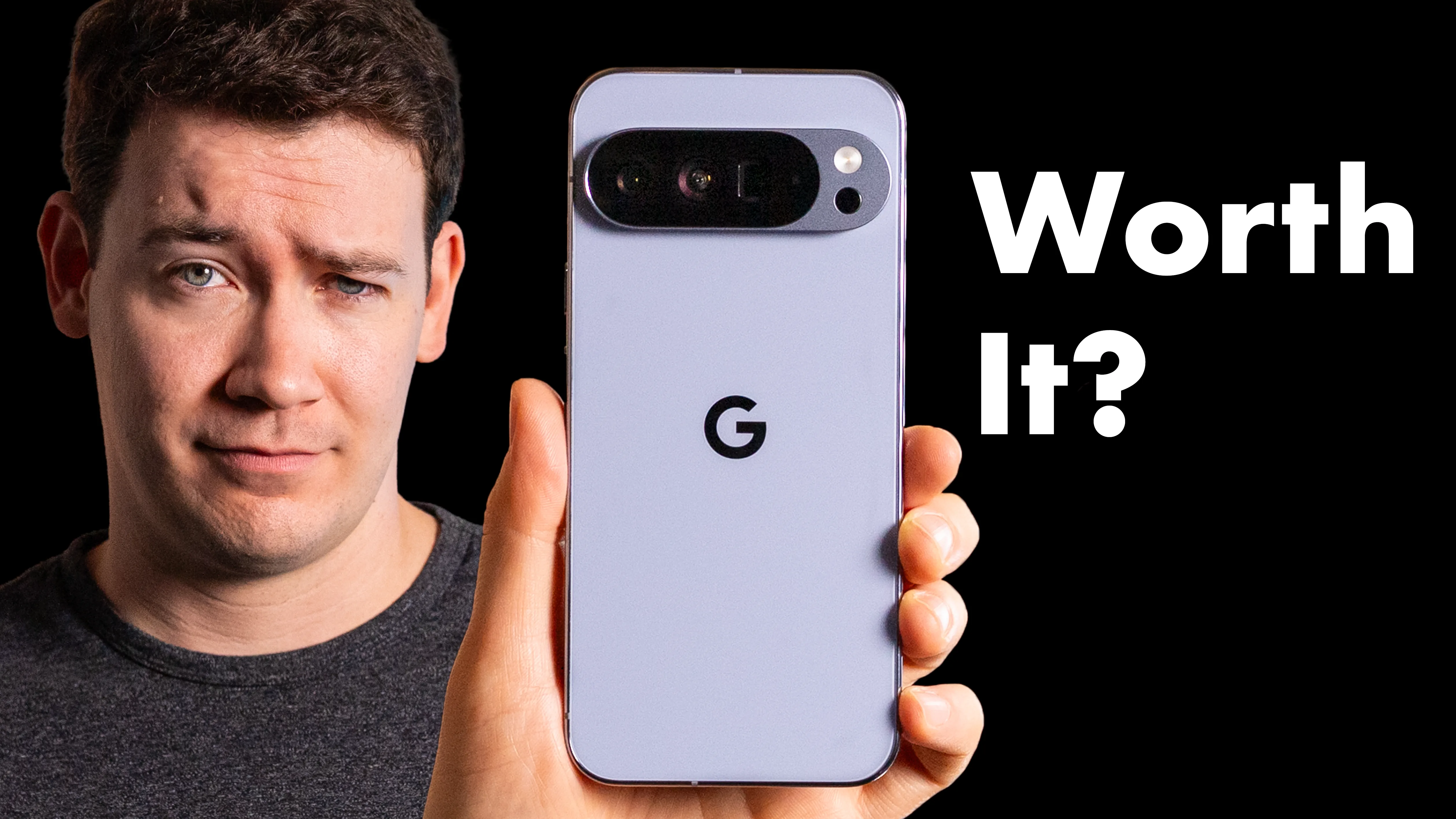
It’s been 6 months since I bought Google’s flagship top-of-the-line Pixel 10 Pro XL, and honestly, I really like this phone.
Design & Build Quality
The first highlight for me has been the physical design. And while not much has changed except for this new moonstone color, I continue to think this is one of the best-looking smartphones on the market. Google has really hit a stride from a hardware design standpoint. The Pro phones look nice, and I think Google’s camera bar really gives it enough of a defining feature to not look too generic.
Pixel Snap — Google’s answer to MagSafe — has been one of the best upgrades that I think Google has made to their Pixel line, and it’s an advantage Google will continue to have over Samsung now that we know that the S26 line phones themselves do not have the magnets in them. Now, some of the phone cases do, but you really do want it in the phones themselves. Whether that’s using your phone as a webcam, snapping it onto a MagSafe car mount, or just having a reliable way to make sure that your phone always stays on the wireless charger and charges properly, this is genuinely useful in day-to-day life.
Display & Speakers
Another improvement with this phone, I noticed, compared to its predecessor, involves its speakers. They have a more well-rounded sound overall, sound less harsh than before, and are pretty much on par with my iPhone.
The display is another step up. To me, it looks quite a bit better than the 9 Pro XL’s thanks to the adaptive tone feature, which uses an ambient light sensor to adjust not just the display’s brightness, but also its color temperature. Something Google actually had in the Pixel 4 XL, but then inexplicably removed and has now finally brought back — and it’s great.
This display also gets really dim for nighttime use, which I appreciate, and perfectly complements Google’s bedtime and focus modes. There’s now an accessibility setting for adjusting PWM rate, which you can adjust from 240 Hz to 480 Hz. This is still a lower pulse-width modulation than some competing Android phones on the market — especially from Chinese brands — but it does bring it up to par with Samsung and Apple.
Camera System
Next, let’s talk about the camera system, because this is where the Pixel continues to shine and also where I do have some frustrations.
On the hardware side, you’re getting a 50-megapixel main wide sensor plus a 48-megapixel sensor for the ultrawide and the telephoto, and a 42-megapixel front-facing camera. In my experience, the washed-out look you’d get in the Snapchat app has been fixed. Selfies will look more washed out in the regular camera app, but still look good in my opinion, at least after they process.
If you’re looking at the Pixel 10 versus the 10 Pro, I did a full comparison between those two phones — check that out here if you want to learn more about the specifics between the two camera systems.
“The Pixel still produces true-to-life photos more consistently than any other Android camera system that I’ve tested.”
So what about general photo quality? Images are crisp, colors are overall good, not too saturated, and Google doesn’t have a habit of blowing out the highlights the way Samsung and Apple do. That said, it does sometimes produce colors that feel a bit too muted or washed out, at least for my taste — like a shot of my dog Leo where his coat just looked a bit more dull than it actually does in real life. But because I normally shoot in full 50-megapixel mode with RAW and JPEG, I can correct that in post when I need to.
Video Boost continues to be one of the real strengths of Google’s camera system, consistently producing better-looking footage compared to my S25 Ultra and even outperforming the iPhone 17 Pro Max on occasion. One thing I wish Google would let you do is default to always having Video Boost turned on. It’s really annoying to have to manually turn it on every time I’m on a shoot and want to use it. You can set RAW to always be on, but why not Video Boost?
And that’s not the only frustration I’ve had with the camera system. Lens flares with lights and refractions — particularly in night shots — are pretty rough. That’s a real downside if you’re planning to use this for video at night.
Software & Android 16
Software has always been one of the highlights of the Pixel experience, and with Android 16, it’s no different. The new animations, haptics, and multitasking transitions all feel more polished. The settings menu has a cleaner look, and everything just feels like it got a design refresh.
Notification management on Android continues to be a better experience than what I deal with on iOS. It’s just easier to triage what’s coming in, and the granularity of control you have over individual apps is something I miss every time I switch back to an iPhone for a stretch.
Some other software highlights include speech dictation that still remains excellent, the haptic typing experience that is still the best I’ve used on any phone, and the weather animations in the background that are a really nice touch. The new AirDrop compatibility with Quick Share — which came to this phone before any other Android devices — has been really useful for sharing files with my Mac.
That’s one of the other benefits of going with a Pixel: you get Google’s brand-new features first. Pixels just got Android’s new desktop mode, and Google has given us some pretty great Pixel Drop features this year. There’s now a dedicated Now Playing app for all of the songs that the Pixel can identify playing in the background, plus the ability to generate new custom icon packs.
Gemini & AI Features
A related software feature that has really stood out to me over the past 6 months is Gemini. I found Gemini and Gemini Live to actually be genuinely useful — more so than I expected coming in. I’ve used it to take photos of my space and floor color, then taken some article furniture and had it generate what different furniture pieces would look like in specific rooms. It’s been generally great for all sorts of queries.
That said, I still don’t use it for things where I need the information to be 100% factual. And now that Gemini has access to my personal context — meaning all of the data that Google has across all of its apps — Gemini has just become even more powerful. It’s able to search through things like my Gmail history. I was looking for a product I had ordered a few years ago, having trouble finding the purchase confirmation email, and I just went to Gemini and it found it for me right away.
One ongoing frustration I still have with it is that it cannot play from Apple Music. I know I’m probably the only person on Earth trying to do that with a Pixel phone, but the Google Assistant could do that — so the regression here is still annoying.
Battery Life
One pleasant surprise with this phone has been battery life. I’m typically ending the day somewhere between the upper 50s to mid-60% range, which for me is pretty good for a phone of this size. The Pixel 10 Pro XL has a 5,200 mAh battery and is rated for well over 24 hours of use in normal conditions with battery saver turned on, according to Google.
For my use, I’m doing about 1 to maybe 2.5 hours of screen time per day, with another 1 to 2 hours of background activity for music and podcasts. That said, if you’re out in the sunlight and shooting a lot of video footage, that is going to chew through this battery considerably faster — I was seeing closer to 40% to the upper 30s by the end of the day on long shooting days. Still, for my use case, this is more battery than I actually need in a day.
Features I Haven’t Used
Six months in, what haven’t I used with this phone?
First is Magic Q. This feature is supposed to use your personal context on the phone to surface suggestions in different apps, even in Gboard, but I’ve rarely seen it outside of Google Messages and Google’s phone app — and even there, I haven’t really run into it all that often.
Another thing I haven’t used is the Daily Hub feature that debuted with this phone, but that’s because Google actually pulled it shortly after launch due to performance issues and user complaints that it wasn’t surfacing relevant information. Six months later, it still hasn’t come back.
ProRes Zoom is also impressive in demos, but it’s not something I’ve found myself actually reaching for day-to-day. Typing an edit request into Google Photos and having it apply the change is another really cool feature — and for beginners and photography novices, I think it’s genuinely great — but at this point, it’s usually faster for me to just go in and make the adjustments myself. Same goes for the camera coach.
Downsides
And the biggest downside by far — and this might shock you if you’ve been following the site for a long time — is weight. It’s just unfortunate that Google decided to make this phone heavier than the previous generation. This phone weighs 332 g and is considerably heavier than some of its competition, like the S25 Ultra. And the S26 Ultra, by the way, weighs 314 g — Samsung actually continuing to reduce the weight of the Ultra phone, and that phone has a stylus. This phone doesn’t even have a stylus.
“Phones should be getting lighter, not heavier.”
If the iPhone Air has taught me anything this year, it’s that we are all carrying around way too much weight for the screen size in 2026. The screen sizes are pretty similar across flagships, and I can tell you as somebody who has been switching back and forth between these phones for months — the one I have gravitated towards using on a day-to-day basis is the one that is thinner and lighter.
Another issue I ran into with this phone was with playing and pausing media, whether via the Pixel Buds or when this phone was connected over Bluetooth in my car. I would often just get the Gemini sound, acknowledging that I was trying to play or pause media, but it would never actually do anything. It’s not something I’ve been able to reproduce consistently, but it happened enough over the past 6 months that it’s worth mentioning.
For a few smaller downsides: focus modes in 2026 still do not sync between Pixel devices, which is crazy. If you put Do Not Disturb on your phone, it does not affect your Pixel tablet. And when I finally got fiber internet, another thing I noticed right away was that Pixels just seem to be way more finicky about when they switch off the 6 GHz band for Wi-Fi 6E compared to my iPhone.
The very last downside isn’t specific to this phone per se, but it still applies: there’s no easy-to-replace battery by the end user. To be fair, none of the other big smartphone manufacturers offer that either. But I think having that would go a long way toward helping people actually keep these phones for the long term.
Verdict
So, do I recommend the Pixel 10 Pro and Pro XL? Yes. If you want an Android phone that doesn’t come loaded with bloatware, has an excellent camera system, great battery life, a solid design, and a great display, this is an easy recommendation.
The only area where this Pixel doesn’t quite measure up against the competition is with the Tensor G5 chip. For intense mobile gaming or other processor-heavy tasks, that’s the one use case where I’d point you somewhere else. But for my daily needs — shooting photos and videos, checking email, general app use — it’s been totally fine.
Before you go out and buy one, two quick things. First, if you want my thoughts on how it compares to the Pixel 10, I did a full comparison here. Second, we’re now at the 6-month mark with this phone, so you can expect Google to come out with the Pixel 11 line in another 6 months. If you don’t need a new phone right away, it might be worth waiting to see what they come out with later in the year, or at least to see if these then go on a more significant sale.
You can check the current price of the Pixel 10 Pro and Pro XL above in the Featured Products section, with links to other retailers for comparison shopping. And if you want to see if there are any Pixel deals going on right now, head to 6monthslater.net/shop — type in “pixel deals” and any current deals will surface.