My 16 Favorite Apps to use in 2026
These are the apps that stand out.
By Josh Teder
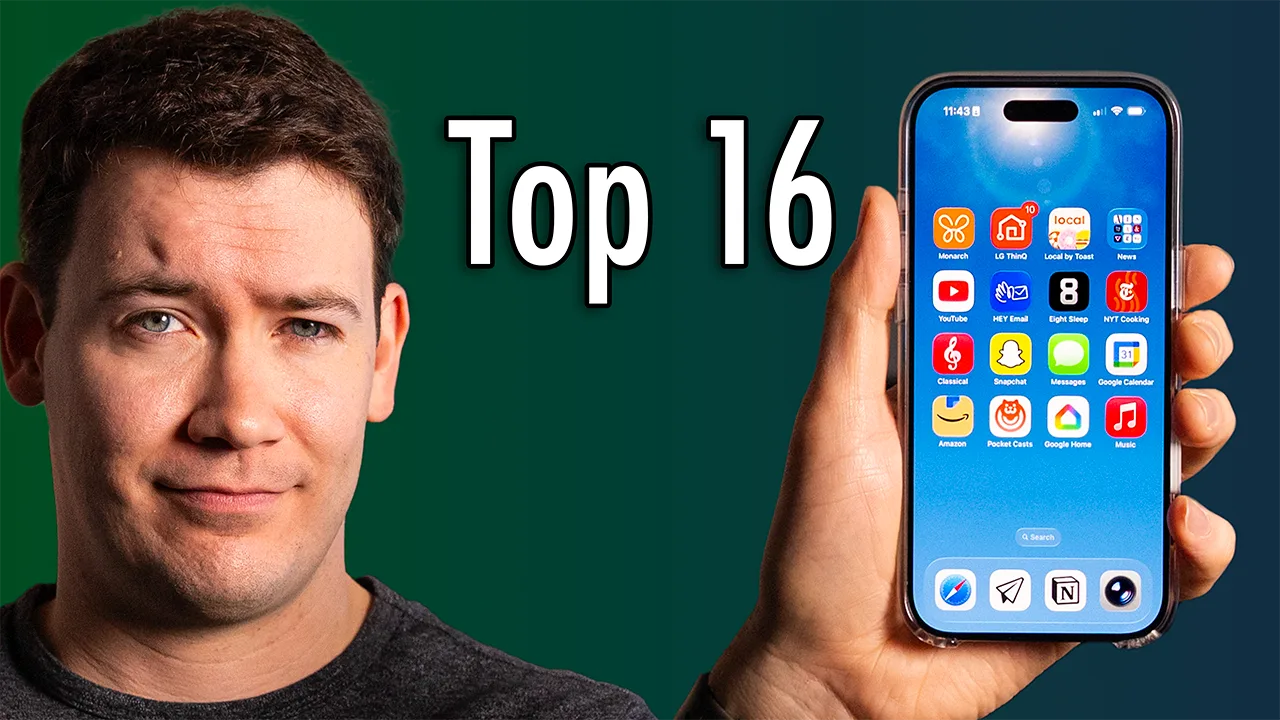
#16: Monarch Money
This is a fantastic app that I check almost daily because it provides my entire financial picture. Every expense, every account, everything is all in one app. It can even now match my Amazon and Target purchases via a Chrome extension, which is incredibly useful for trying to figure out what that $35 Amazon charge was even for.
I pay $100 a year for it, but given there are no ads, it allows me to catch subscriptions I didn’t even realize I was still paying for. Plus, it has budgeting, goals, and shows me a breakdown of my entire financial picture. To me, it’s been well worth that expense. They obviously didn’t sponsor this video, but if you want to try Monarch Money for yourself, I do have a 50% off code that you can use for your first year
#15: LG ThinQ
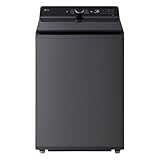
We moved into a new home late last year and I got two top-of-the-line LG appliances — a washer and dryer. Originally, I thought smart appliances were kind of dumb because they just add more points of failure to the appliance. However, I’ve actually found getting persistent notifications from the washer and dryer when they’re done to be really useful. Not just because they go to me on my phone and watch, but they also go to my partner’s, which ends up keeping the laundry moving.
The app can also alert me when something goes wrong with the machine, like if a load is unbalanced. Another cool thing it can do that I didn’t even know I wanted was the ability to change the chimes on each machine. So when they’re done, my washer plays Beethoven’s 5th and the dryer plays Beethoven’s 9th. I’ll be talking more about smart appliances in my 2026 smart home video, which will be out soon — make sure you’re subscribed to the channel if you want to see that.
#14: Local by Toast
This may be more of a US thing, but I love ordering food from my favorite restaurants on this app. I’ve noticed a lot of restaurants, at least around me, use Toast for their point-of-sale terminal, and the app just makes it really easy to order pickup. It feels less icky than using the delivery apps. Plus, no fees.
#13: News Apps
This isn’t one single app, but more of an app category — and that’s because I don’t recommend using a single news aggregator app for your news. I go straight to the sources of good in-depth journalism. For me, that’s apps like the Wall Street Journal, New York Times, and The Verge for my main tech news, and then the News and Observer, The Assembly, and Indie Week for more local stuff here in Raleigh.
For national news, I also heavily utilize PBS NewsHour via YouTube, which brings me to number 12.
#12: YouTube
This might surprise a lot of you, but I don’t actually watch a lot of YouTube on my phone. I mainly watch YouTube on my TV. On my phone, I’ll play the YouTube video version of some podcasts or interviews that I want to listen to, but that’s about it.
#11: Hey Email
Look, email sucks. We all know it, but this app at least makes it suck a bit less. I’ve been using Hey for over 5 years now, and I really like their approach to email. Your inbox is categorized into three areas: the inbox for important emails, the feed for newsletters from brands, and the paper trail, where I stick things like order confirmations, receipts, and records that you need but don’t always need to actually read.
“Email sucks. We all know it, but Hey at least makes it suck a bit less.”
They also have a nifty section in their UI for emails you want to reply to, and you can knock out all of these in one action. And then there’s pinned stuff, which I use for important things like bills, gift cards, etc. Like Monarch, Hey is another one of those apps that’s a service you kind of have to pay for — it’s also about $100 per year — but I’ve found the experience to be worth it enough to justify paying for.
#10: Eight Sleep
I got an Eight Sleep Pod 4 to review about a year or two ago, but even though it was hard to recommend given the AutoPilot subscription and certain features being put behind a paywall that I didn’t think should be behind a paywall, I simply can’t sleep without the thing. I use this app mainly to track my sleep over time in case I need to make adjustments to my schedule or routine to help improve my overall sleep health.
#9: New York Times Cooking
My cooking journey has been a roller coaster ride since COVID, going from mainly doing meal kits like HelloFresh (#notsponsored) to now trying to cook more on my own and kind of vibe cook. Is that a term I can say? Okay, maybe not. I’ve found New York Times Cooking to be essential. In my experience, the recipes are typically solid foundations for cooking. You can get New York Times Cooking as a standalone service for around $40 US per year or via the New York Times all-access subscription.
#8: Apple Music Classical
Ever since I started buying season tickets to the fantastic North Carolina Symphony here in Raleigh, I’ve become increasingly interested in classical music. It’s like listening to film music, just a bit longer and usually a lot more complex.
This app makes it easy to not only find a particular piece, performer, or composer — it’s better for all of those searches than regular Apple Music — but it also has a wide collection of music in high-res and Dolby Atmos. Dolby Atmos is a really great format for classical music because Atmos mixes typically have better dynamic range than stereo tracks, and they give mixers the ability to precisely place the sounds of an orchestra as you would hear them if you were sitting in a symphony hall.
#7: Google Photos
I’ve been using Google Photos for a while now as the main way that I back up photos to the cloud because it works on both all of my iPhones as well as Android phones. It has a great search capability and excellent editing tools, especially on Pixel devices, which get some exclusive features. I love going back and seeing some of the memories it brings up, which can also appear on devices like my Nest Hubs and Pixel tablets.
#6: Amazon
I know there are a lot of haters out there for Amazon, but as a service for ordering things, I just find myself ordering something from Amazon almost every few days, including my groceries via Whole Foods. It’s fast, I don’t have to go anywhere, and they can even deliver things inside of my garage, so I don’t have to worry about packages getting stolen off my front porch. Full disclosure: 6 Months Later does have a relationship with Amazon — we’re a part of their affiliate program.
#5: Google Calendar
This isn’t an app I actually go into every day, but because my life revolves around the events in my Google Calendar, whether I’m on an iPhone or an Android phone, I am constantly getting event reminders and seeing what’s on my calendar via the Google Calendar widgets, which I find to be really useful. Plus, so many things can integrate with Google Calendar — it really makes it an indispensable part of how I run my life.
#4: iMessage
Currently in 2026, when I’m not daily driving a phone that I’m reviewing, my go-to personal phone has been the iPhone Air. The phone I’ve gravitated towards for the past few years personally has typically been an iPhone, and iMessage is an app I am constantly finding myself in because so many of my family and friends also have iPhones and use features like Tapback replies to specific messages, scheduled send, etc.
Yes, most of these are features you can find in Google Messages, but there’s just something that’s still kind of sticky about iMessage in my use of it at least.
#3: Pocket Casts
This is the app I use for all of my podcast listening. It’s not owned by a giant tech company, I love the design, and it doesn’t integrate podcasts in with my music like so many music services are doing — which I cannot stand.
As somebody who’s been listening to podcasts for well over a decade, my relationship with them has changed over the years. Actually, one of my New Year’s resolutions this year is to listen to fewer podcasts, especially political and news podcasts, and just listen to more music. There’s this viewpoint, at least here in the US, that every waking minute you need to be doing something productive. While this has never been a viewpoint I’ve necessarily subscribed to — it’s very puritanical in its nature, very American — it’s still something I’ve found myself somewhat trapped by in the past. So this year, I’m trying to just listen to the podcasts I really enjoy, like tech podcasts, and then listen to more music, which yes means more classical music.
#2: Google Home
This one actually surprised me quite a bit. I was not expecting it to be so high up on my list, but after moving to a new place and starting over with my smart home, and given that my partner is on Android and I’m on iOS and Android, it just kind of made sense to use Google Home as the primary smart home platform, at least initially — especially with all the Nest Hubs and Pixel tablets we have around the place.
“This app is snappy. I love that I can just drag across certain devices like lights and blinds to quickly adjust them.”
Overall, it’s pretty great. I love that I can just pop into the app to see that a package is being delivered or somebody is coming into my garage. I of course have more thoughts on using it for smart homes as well as other smart home platforms, so make sure you’re subscribed if you want to see my upcoming smart home guide for 2026.
#1: Apple Music
If you’ve seen my Apple Music vs. Spotify vs. YouTube Music comparison, you’ll know that I ended up choosing Apple Music. While its algorithms aren’t as good — which forces me to actually choose the music I often want to listen to — I do find that I curate my music on it much more often than I do on Spotify or YouTube Music, and that’s actually turned into something I like doing.
Plus, it has Dolby Atmos music, which on the right equipment like the AirPods Max or my Sonos Era 300 speaker — a lot of tracks actually sound pretty great in that format. It also has high-quality audio, which not all streaming services have.