Featured Products
If you buy something from a link, 6 Months Later may earn a commission. See our ethics policy.




Related Videos
Tablets and E-Readers:
Kindle Paperwhite Review:
Boox Palma 2 Review – 6 Months Later
Why does this exist?
By Josh Teder
Why Does the BOOX Palma 2 Even Exist?
Why does the BOOX Palma 2 even exist? That’s a question I really had going into my six months of using this device. And while I still find myself questioning who exactly this phone-size device is for, I do think I understand a bit more why so many people have become kind of obsessed with it.
And that’s because this device solves, I think, two main problems people sometimes have with e-readers as well as smartphones. First is the size. Unlike a Kindle, this is small enough to put in your pocket. It’s also incredibly lightweight at 170 g, which is around 30 to 40 g lighter than most phones of similar size and also about 40 g lighter than my Kindle Paperwhite that I recently reviewed.
So, it’s lightweight and in a form factor that makes it easy to carry around, but so is your smartphone. So, the second issue that its design kind of solves for is that it runs Android. But unlike most smartphones that run Android, the BOOX Palma 2 has an e-ink display. Even though it runs Android, its e-ink display means you won’t be tempted to go to YouTube, scroll through TikTok, Instagram, or any other addictive app except maybe Reddit.
And that’s because while you can certainly install those apps on the device, the refresh rate isn’t fast enough to make using any of those apps enjoyable. And in a world where we’re hearing stories about people feeling like they’re too addicted to their devices, if you just want a phone-sized device that allows you to do meaningful tasks like reading books, articles, and maybe doing some basic web searches on it, this phone-sized device might lead you to think that, hey, maybe it would be good for that. Is it? We’ll get there.
Battery Life and Android Experience
But there are a few other things that you should know about this device, like battery life. For something that runs Android, you’d never be able to tell that from its battery life. It can last you a few weeks, maybe a month or two with light daily use, like in my case. Though, if you use it more often, like for hours a day, you’ll likely only get a few days to maybe a week or two at the max out of its battery. Also, what apps you download to it will affect this as well. I’ve noticed a bit more battery drain as I’ve added more apps to the device.
Now, because it does run Android, yes, you can get notifications on it, but I’ve turned those completely off and haven’t found myself tempted to download things like email apps that would generate a lot of notifications on it because again, it’s e-ink. And it currently runs Android 13, which certainly isn’t the latest release, but I think for what people are likely to use this device for, it’s totally fine.
Display Quality and Eye Strain Benefits
The 6.13-inch HD Carta screen is another highlight. Its display is 300 PPI, which for e-ink is actually pretty good and on the higher end of what you typically see in e-ink devices, meaning that text will look pretty crisp on it. And because it’s e-ink, you don’t get any screen flickering and shouldn’t experience as much eye strain as when you look at a normal LCD or OLED display.
This is because ONYX uses a DC-powered flicker-free front light, unlike LCD displays and OLEDs that use pulse-width modulation or PWM to rapidly turn the display on and off at a specific frequency to make it appear brighter or dimmer, which for some people can cause eye strain and other health issues.
Customization Features
Another highlight with the BOOX Palma 2 is customizability. You can map volume buttons to scroll text up and down, which is great when reading articles. And you can not only do this overall, but per app as well, which I really dig. There’s also a smart button on the left side that’s customizable as well with a short press function, double-click function, and a long press function. I have mine set to go back to the home screen on short press, multitasking switcher for the double press, and then the long press function takes you to Chrome.
Another highlight is the fingerprint sensor found in the power button. More devices need to have this for authentication. It just makes using the device so much easier than constantly having to type in a passcode. And for a device at this price level, it’s kind of an unusual feature to see outside of a phone.
Another highlight is the case you can order with your BOOX Palma 2, which will auto-wake the display when you open it, which is exactly what you’d want out of a pocket-sized reading device.
Features I Haven’t Used Much
So, what features have I not found myself using with the BOOX Palma 2 over the past 6 months? I found many of the extras from ONYX to just be that—extras that I didn’t rely on daily, and I even swapped their browser for Chrome. Though, if you have this device and disagree, let me know in the comments what BOOX-specific apps and add-ons you found useful.
The e-ink center is another feature I haven’t used much. You can customize the display’s look per app to increase contrast and adjust color darkness, as well as set the refresh rate per app, which can be helpful depending on the app’s performance. However, I haven’t used this feature much beyond my initial setup.
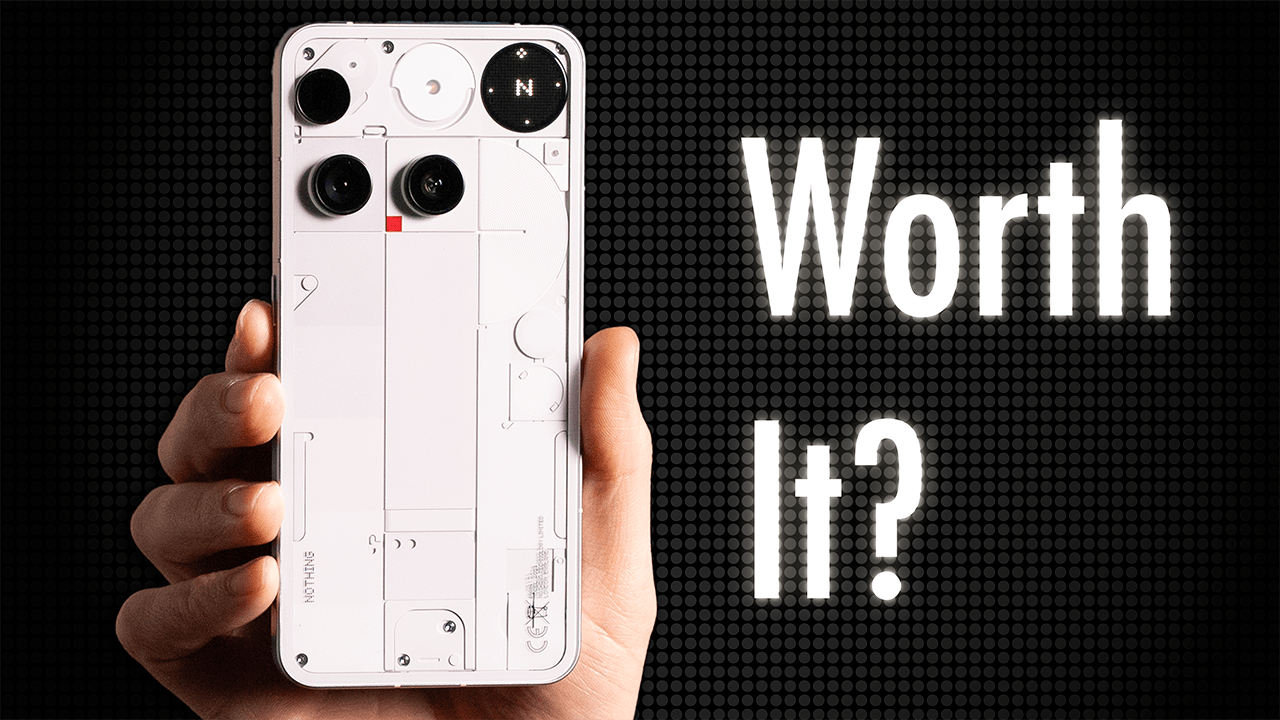
The camera is a bit goofy for an e-ink device. ONYX markets the camera for document scanning and QR codes, which sure, I could see a small use case for that. Though I really question if having it is worth it versus just removing it from the bill of materials altogether to try to reduce cost and then hopefully bring that price down a bit. Though, if you were really trying to use this as a smartphone replacement, you’d probably want a camera.
Can You Use This as a Smartphone?
But can you use this as a smartphone? No. The BOOX Palma, while its micro SD card slot on the side may look like a SIM card tray, is not built with mobile data in mind. It just works over Wi-Fi. If this device can’t be used as a smartphone, then is it worth having a secondary e-ink phone-sized device just for reading on? Well, before I answer that question, let’s talk about some of the downsides I’ve encountered with the BOOX Palma 2 over the past 6 months.
The Downsides I’ve Encountered
First is issues with installing software updates. I had issues with failed downloads or the device would just stop downloading an update and then I had to manually restart it, which was really annoying.
Another downside is that there’s no schedule to turn the color temperature of the front light to a warmer tone at night. Auto brightness also isn’t the most intuitive to turn on. You have to tap and make sure the brightness and color temp circles are filled in. That’s how you know that their auto modes are actually turned on.
Another downside is not all apps work well on this device. Slow loading websites is another related downside. Often turning Wi-Fi off and then back on again will fix it.
Another downside actually involves the fingerprint unlock. I found that it’s been a bit inconsistent and I’ve had to rescan my fingers multiple times to try to get a good complete scan of them. The recent software fix for this has gone out to help try to improve the experience and I have found that the fingerprint scanner has overall worked a bit better after that software update, but it still has some issues.
Reading Apps and Content Management
The other main downside I had with this device is that when you initially get it, you might find yourself scrolling through things more than you would have thought you would be with an e-ink device. Even if what you’re scrolling through is just articles and web pages. In order to truly turn this device into a reading device, you’ll need some kind of app that you can push content to. And this is content that you can’t normally read with pagination, which means pretty much every article you find on every news site.
Now, ONYX does have a built-in push-to-read app on it that can do this, but I wanted a solution that would work across all of my devices, and I honestly didn’t really like the weird Google brand rip-off vibe that you see when you go to this site. I mean, come on. It’s Google’s own brand colors.
Six months later, the apps I found myself using for this on the BOOX is Instapaper, which is probably my favorite because it’s free and it works across Android and iOS and makes articles from web subscriptions I pay for look great with the pagination experience I want. Reader from Readwise is another app that does this, but it’s only a paid app and for what I plan to use it for, $9.99 a month is a bit steep. I also use Neo Reader, Kindle for my books and Remarkable for my notes. And the cool thing with the apps that support pagination is that you can use the volume buttons to move the page back and forth as you would on an e-reader.
Additional Hardware Limitations
Another downside is that while ONYX says it’s water repellent against spills and splashes, there’s not actually an official IPX rating associated with the Palma 2.
Another downside is there’s no haptic motor listed in the spec sheet and no way I’ve been able to figure out how to turn it on for the keyboard. I have Gboard downloaded onto the device and have haptics for that turned on, but nothing actually happens with that setting. And the weird thing is when you turn the device on, it does kind of vibrate, but it’s not in a way where it comes across as like being good haptics.
Software Experience Issues
Moving on, the ONYX software—there’s just a lot going on here and not all Android settings you’d expect are there, like no scheduled color temperature setting. Also, some things ONYX does like the multitasking gestures are easy to miss—swiping, entering the multitasking area or display settings instead of swiping up to go home, which will frustrate some users and might even cause some confusion.
Another pretty big miss is the cord they included with the Palma 2, a USB-C to USB-A cord. Like, why even bother including one at all at that point?
Price and Value Proposition
So, those are all of the downsides, but what about price? The BOOX Palma 2 retails for $299 here in the US. Is what you get worth that price? Honestly, I think that the price is just about right for what this device does. You’re basically getting a smartphone-sized e-ink device that runs Android. You can check out the current price and view all of the products we discussed in this review.
Do I Recommend the BOOX Palma 2?
So, do I recommend the BOOX Palma 2 after 6 months? The answer to that question is maybe. It really depends on what you’re looking for. Are you trying to move certain tasks off of your smartphone and want the benefit of an e-ink display? What exactly are you looking for when you want to move away from your phone? And what do you want to read? Do you want to stop the act of scrolling? Do you want to just be able to read without any interruptions?
The BOOX Palma 2, it’s not going to be the phone replacement some may want. And for news apps and sites, you’ll likely need to push articles into an app with pagination. And at that point, why not just use an e-reader with a larger screen?
For most news sites, I’ve ended up just adding them to the home screen via Chrome. So, the fact that it runs Android is a bit moot. Though I guess it is nice that I can go and look at news sites, push articles to the reader app, and then open that reader app and start reading. Being able to do that all from the same device that uses an e-ink screen is actually an advantage.
Where and How You Plan to Read Matters
So, I think it really depends on how much you value both being able to put apps onto this and what kind of things you plan to read on it. And importantly, where do you plan on doing that reading? Because if for more than half of the time you’re going to be around home or you’re in a situation where you have a carry bag with you and you’re going somewhere like a library or a coffee shop, you’ll likely want to take advantage of a larger display with a device like the Kindle Paperwhite or Kindle Scribe, which I’ve reviewed, or another e-reader like those from Kobo or even ONYX themselves.
And this is part of the reason I haven’t really found myself using this device over the past 6 months all that much over my other e-reading devices because most of the time when I’m reading I’m home.
Final Thoughts
The BOOX Palma 2 is kind of an enigma in the tech world. There was so much hype around this product in part because of how enthusiastic I think the Verge’s David Pierce and others in the tech space have been around it. But after 6 months with it, I’m still uncertain if this device solves enough of the problems people have with their phones or offers people enough functionality to justify carrying an extra device around with them besides their phone.
But if you have one and disagree or you don’t have one, but you have some thoughts, let me know what you think down in the comments.
To view all of the products I recommend, you can visit my shop page.